Craftify
B2B SaaS platform for Etsy and Shopify sellers. It combines a product design builder with listing automation. Sellers can create custom product designs, preview them across multiple models, and publish listings to their stores without doing everything manually.
mockup.casestry.comThe product homepage, which showcases the product's core features through animations.
Context
The client's company manufactures custom accessories, such as phone cases. To increase sales, we need to create a tool for salespeople that will help them sell our products with maximum automation using a dropshipping model.
The seller side was the core business case. Managing listings across Etsy and Shopify manually is slow, and doesn't scale. A seller with 200 products and 10 phone models has thousands of listing variations to manage. That's the problem Craftify was built to solve.
Research
We started with a stakeholder interview using a 5W framework: why the product exists, who it's for, when they need it, what it should do, and how it fits the business model.
The key insight: more listings means more chances to sell. A serious seller doesn't have 10 listings, they have hundreds or thousands. At that scale, manual management isn't just slow, it's impossible. That's the core problem Craftify was built to solve.
Sellers (B2B)
The primary audience. They need to create designs, generate listing variations at scale, and sync everything to their store without manual work.
Buyers (B2C)
individual users who want to design and order a custom product for personal use.
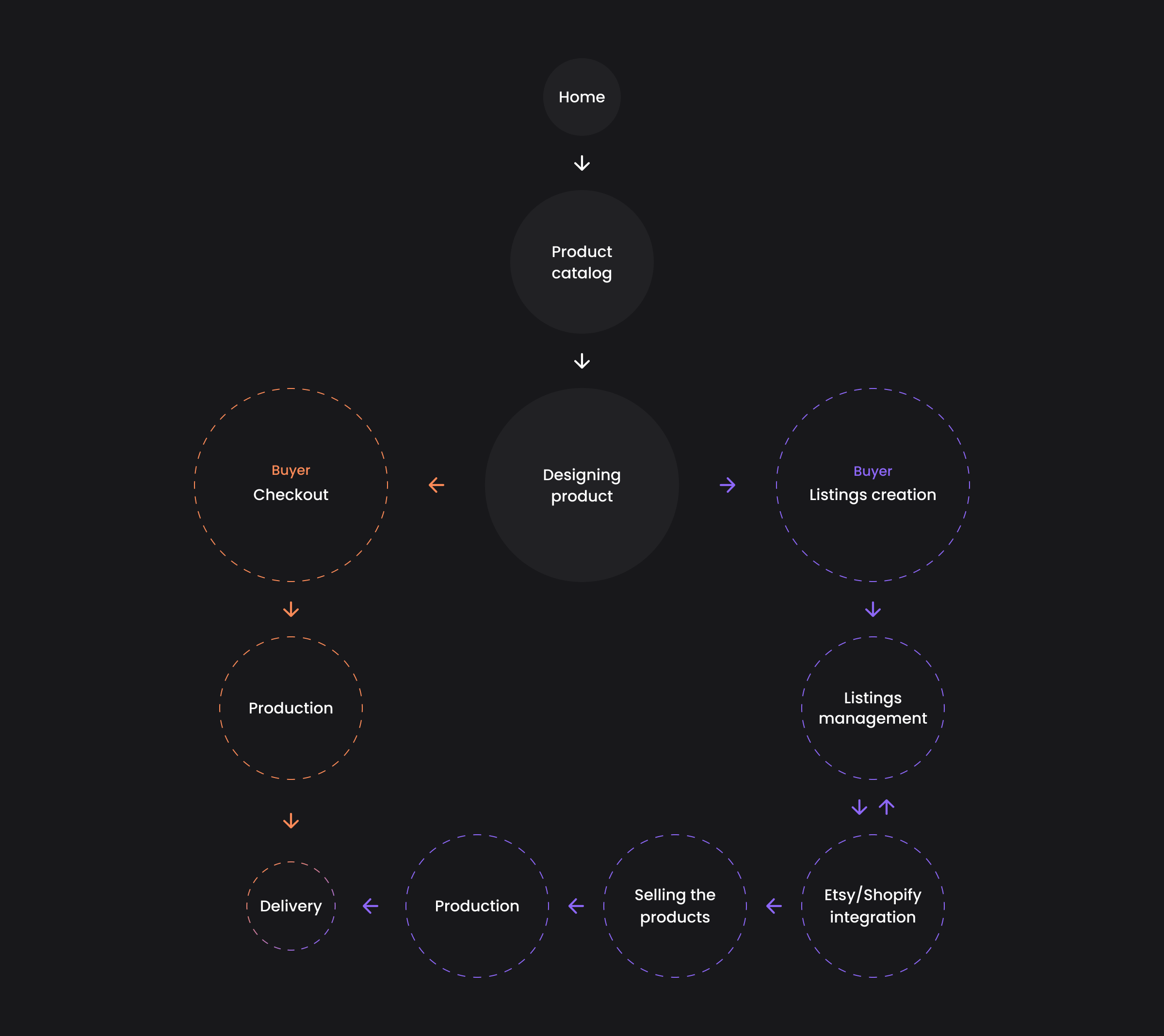
The core flow
Builder
Sellers on Etsy typically create listing photos in separate tools like Photoshop, then manually upload them one by one. For a seller with hundreds of models and designs, that process is repeated hundreds of times. The builder was designed to replace that entirely.
The core challenge: make a professional design tool simple enough that a non-designer seller can use it, without cutting the features that actually matter for quality final designs.
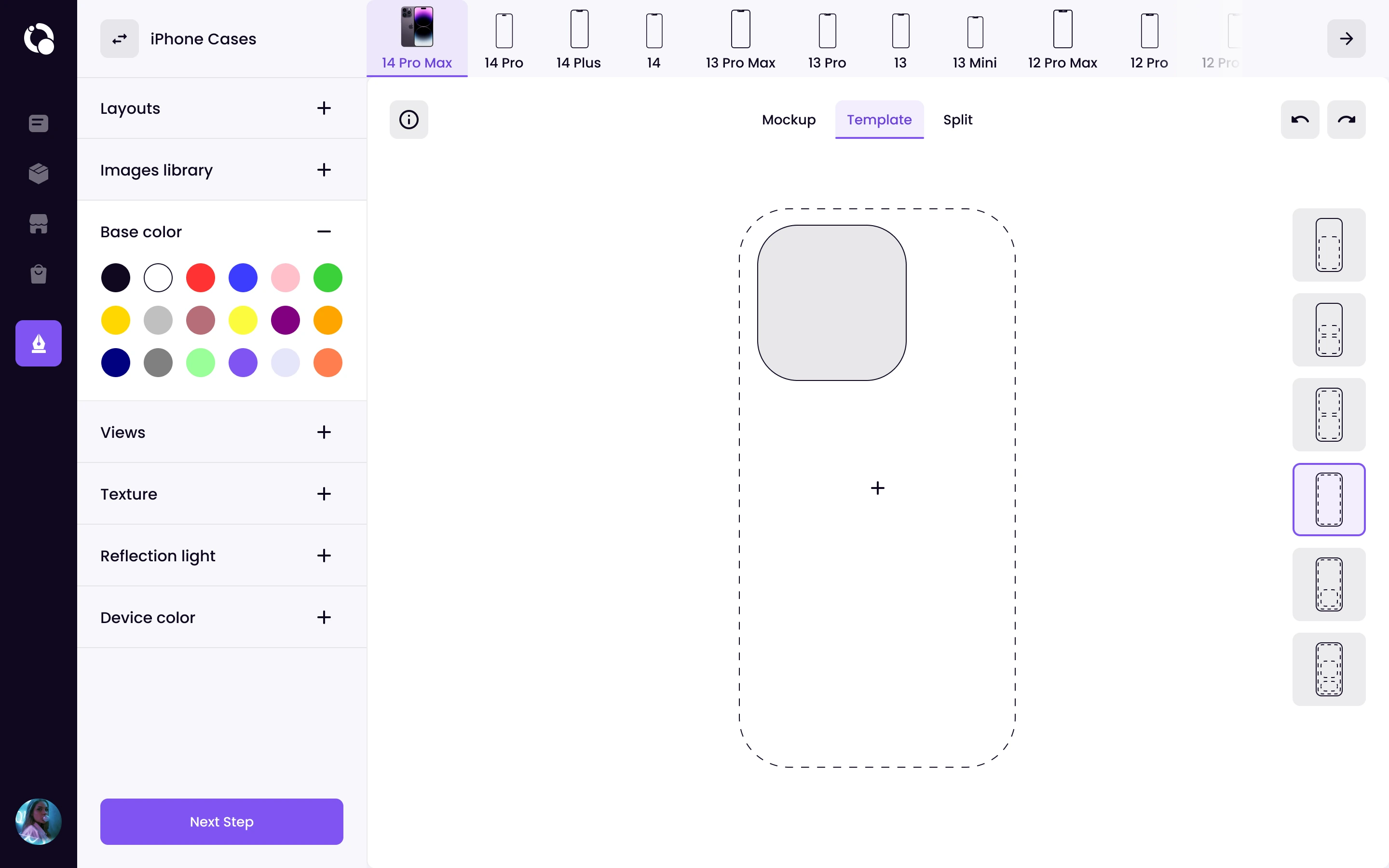
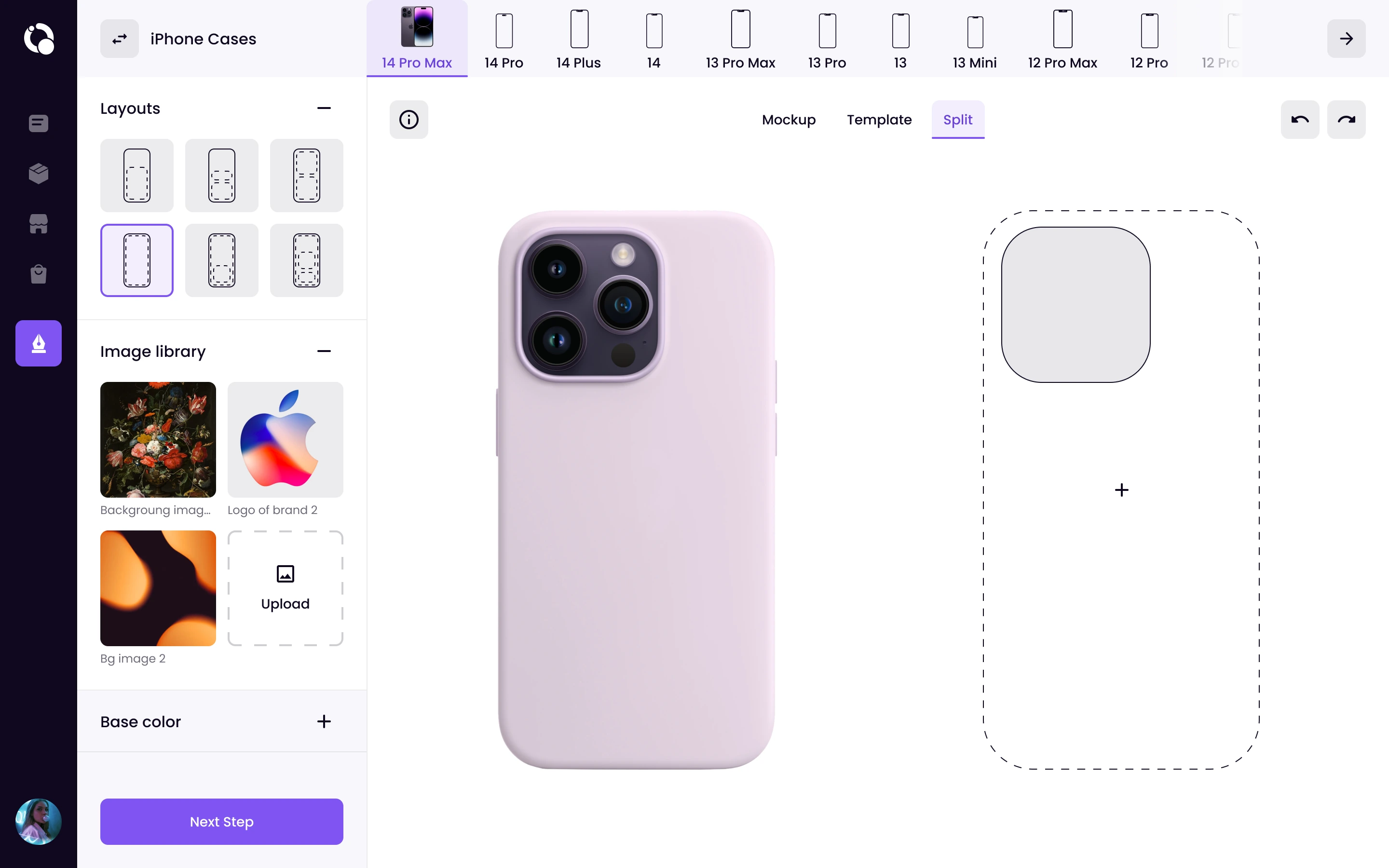
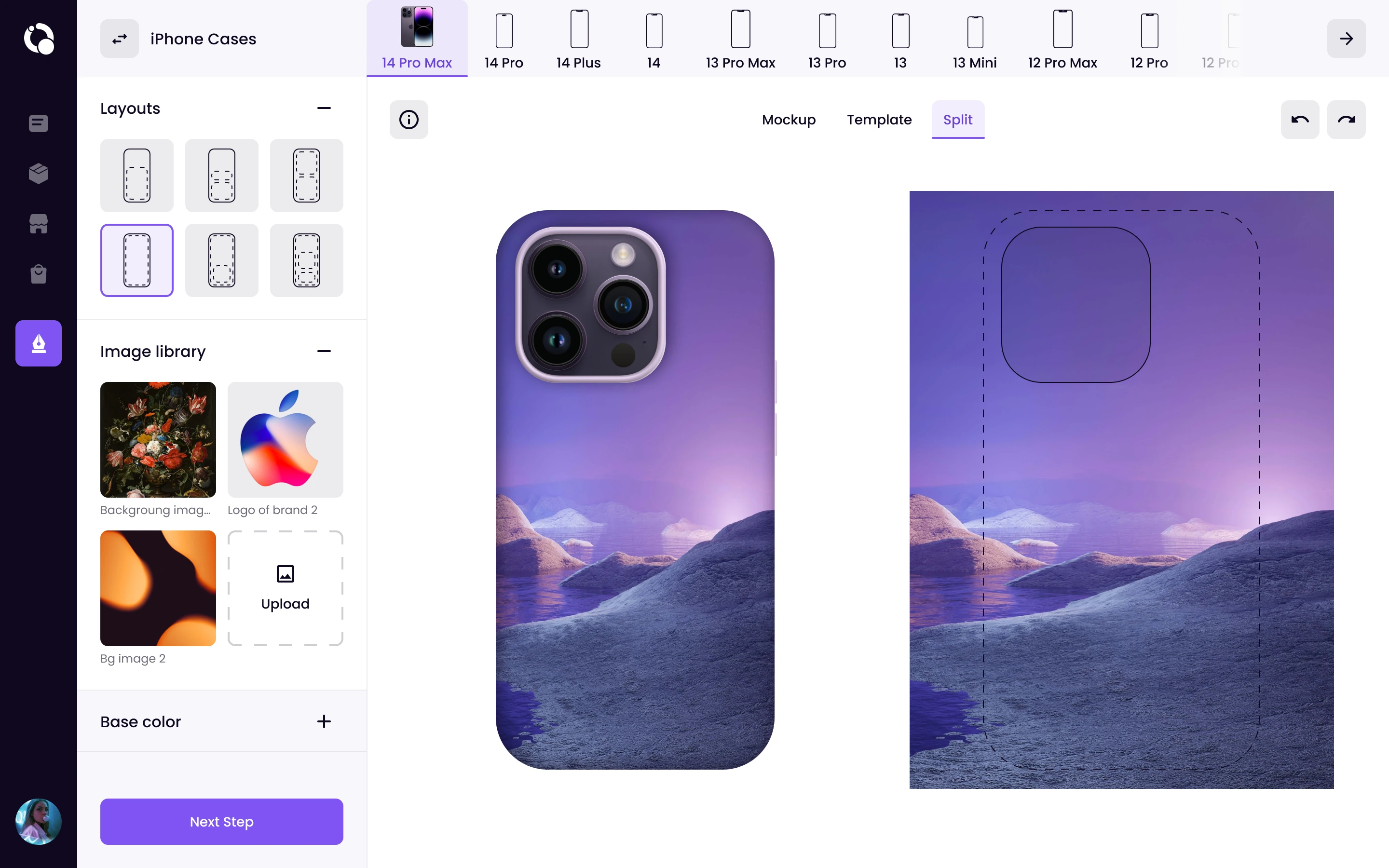
In a builder header we have a product catalog. A seller can switch between phone models and instantly see how their design looks across the full lineup. One design applied to all iPhone models in a few clicks, instead of recreating it manually for each one.
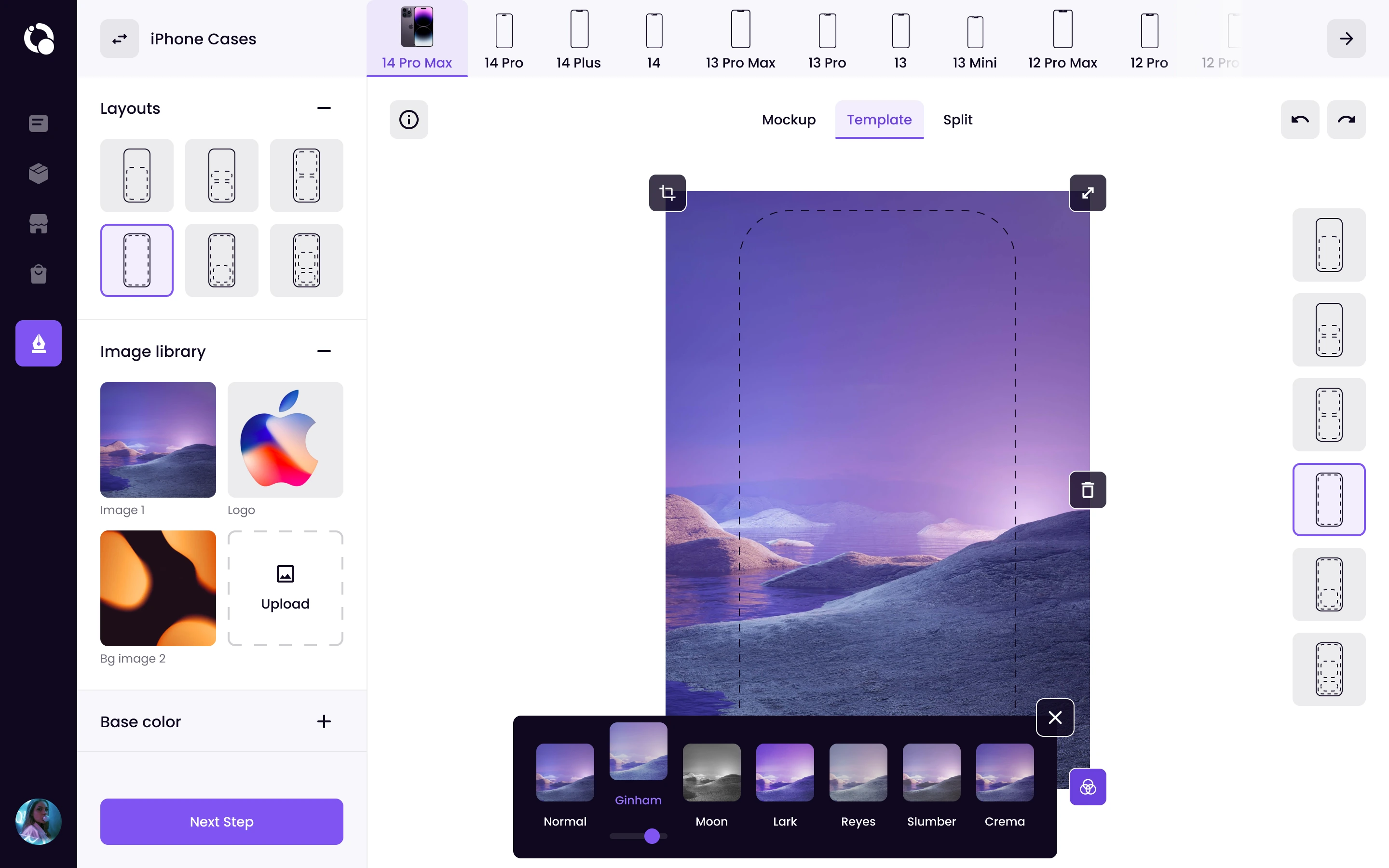
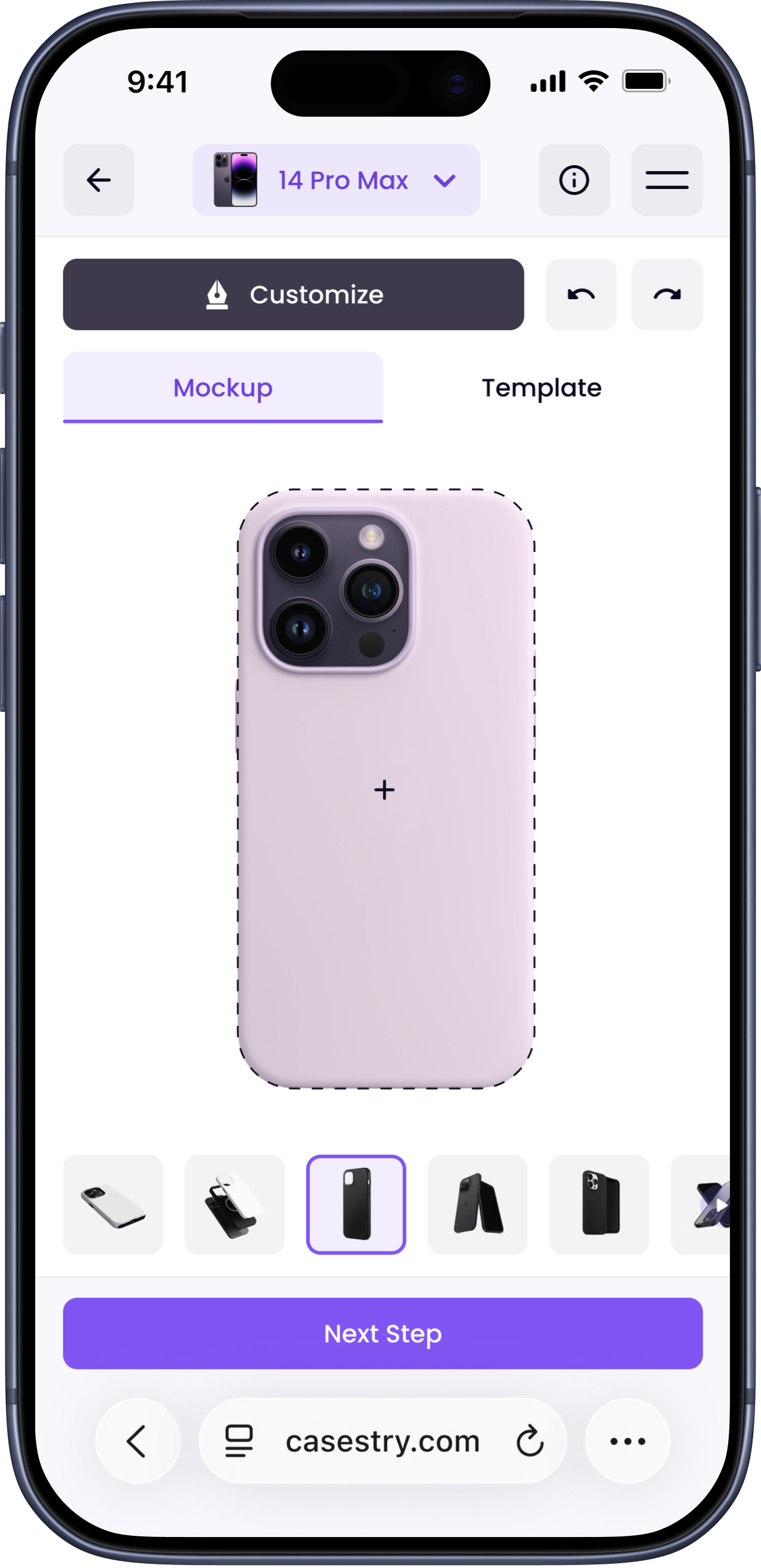
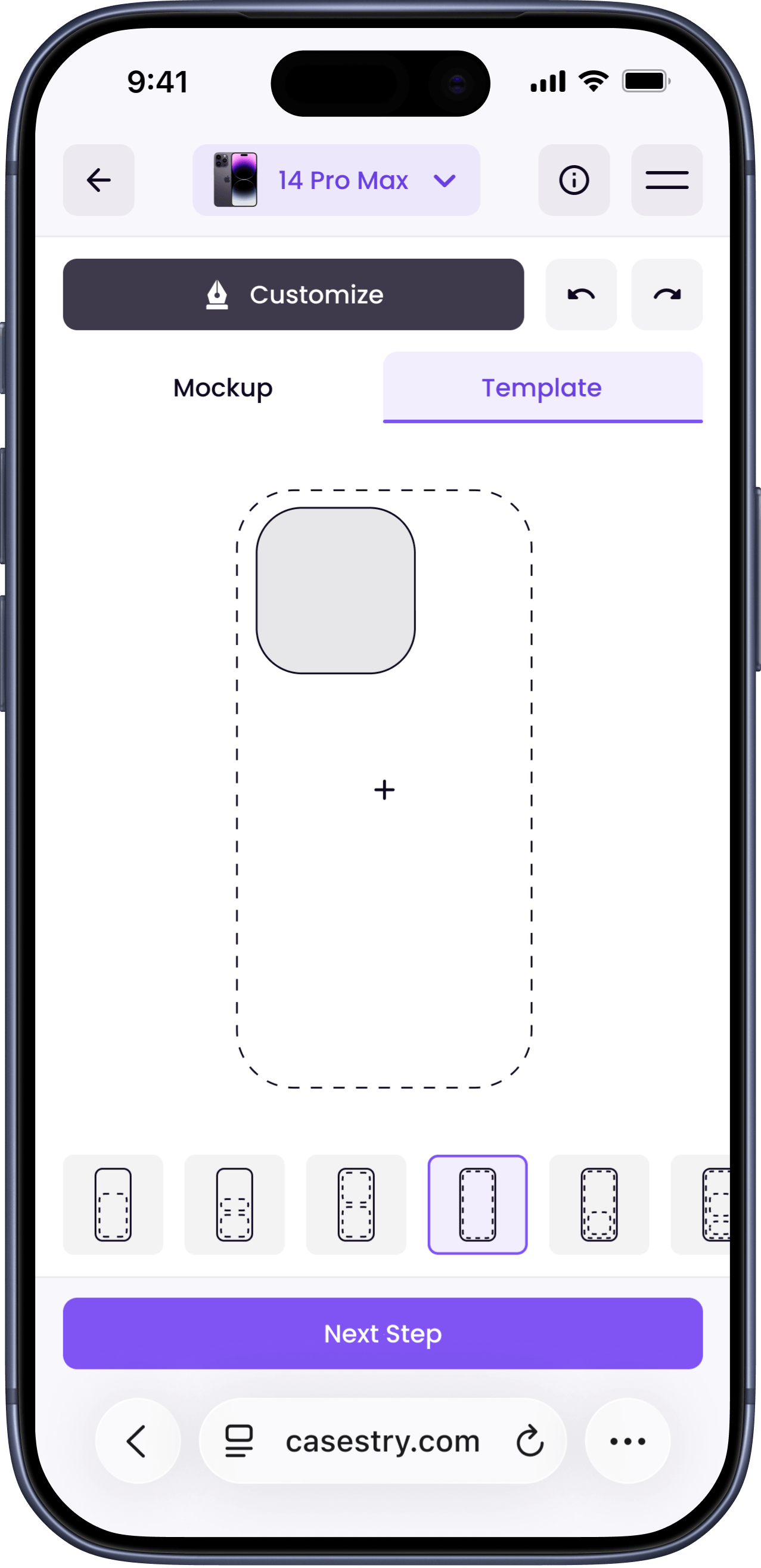
The viewport has three modes:
- Mockup: shows how the finished design looks on the product
- Template: displays a grid for precise alignment and cropping
- Split: both modes at once, for users who need aesthetic and technical control at the same time
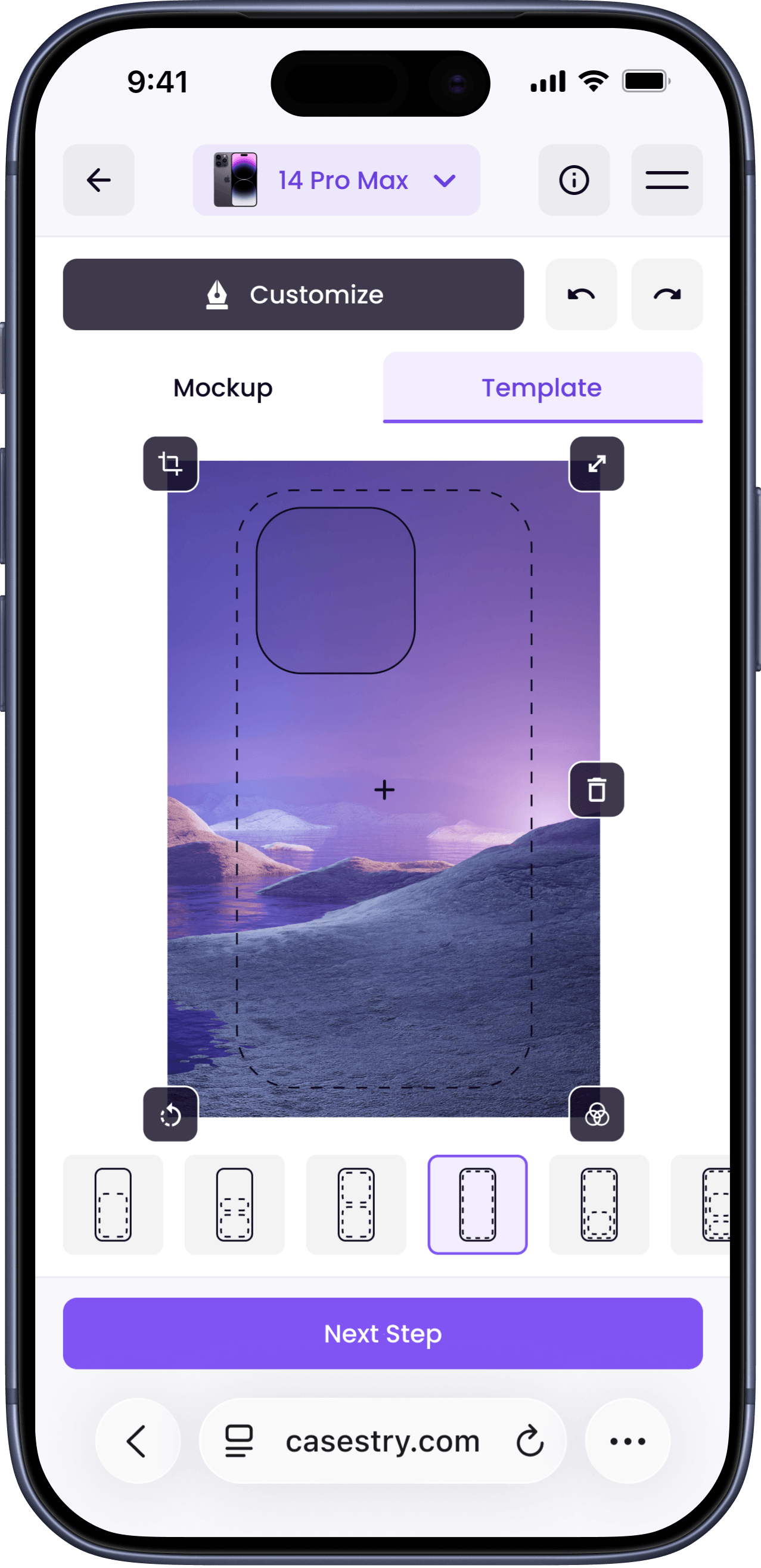
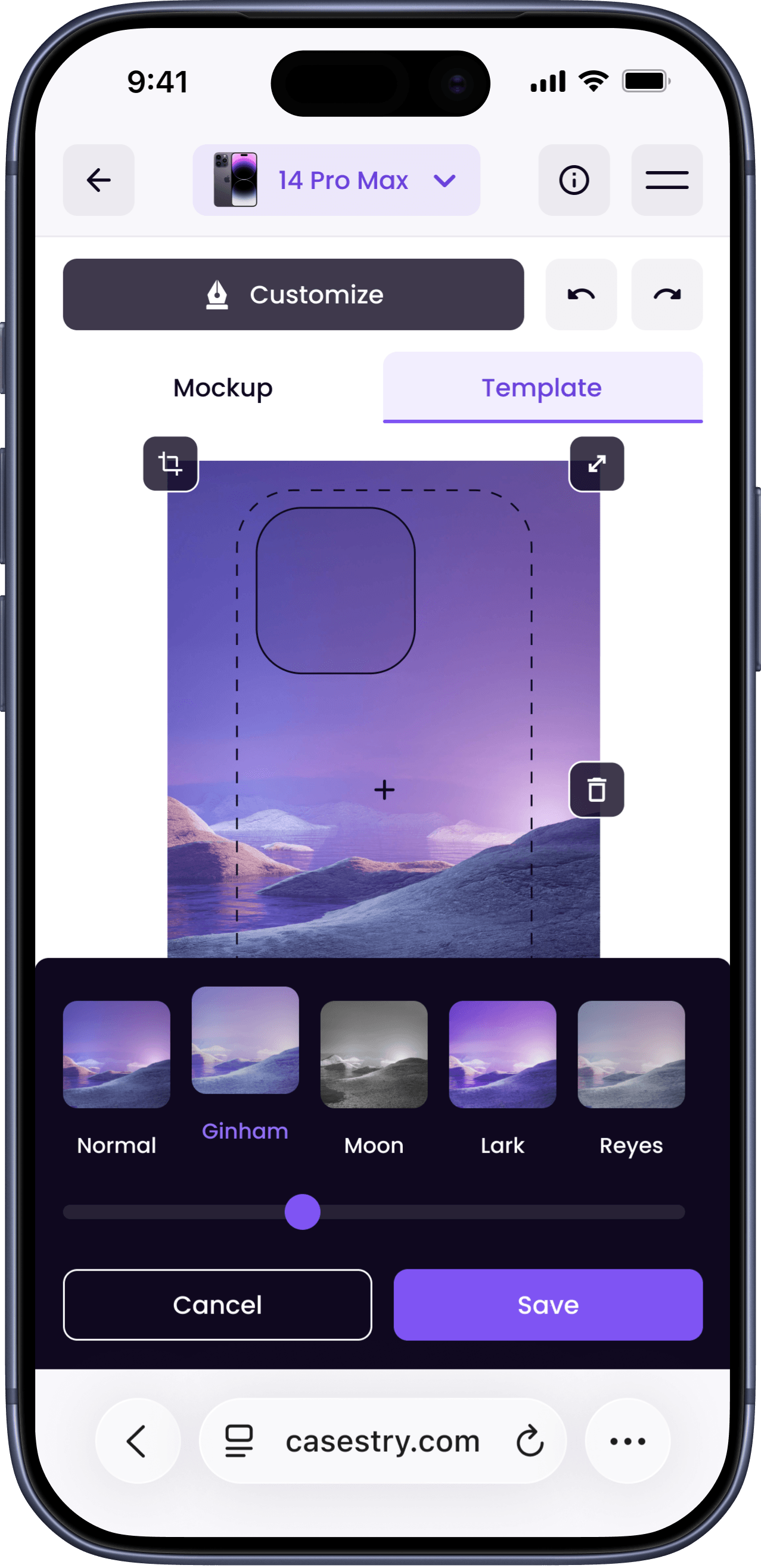
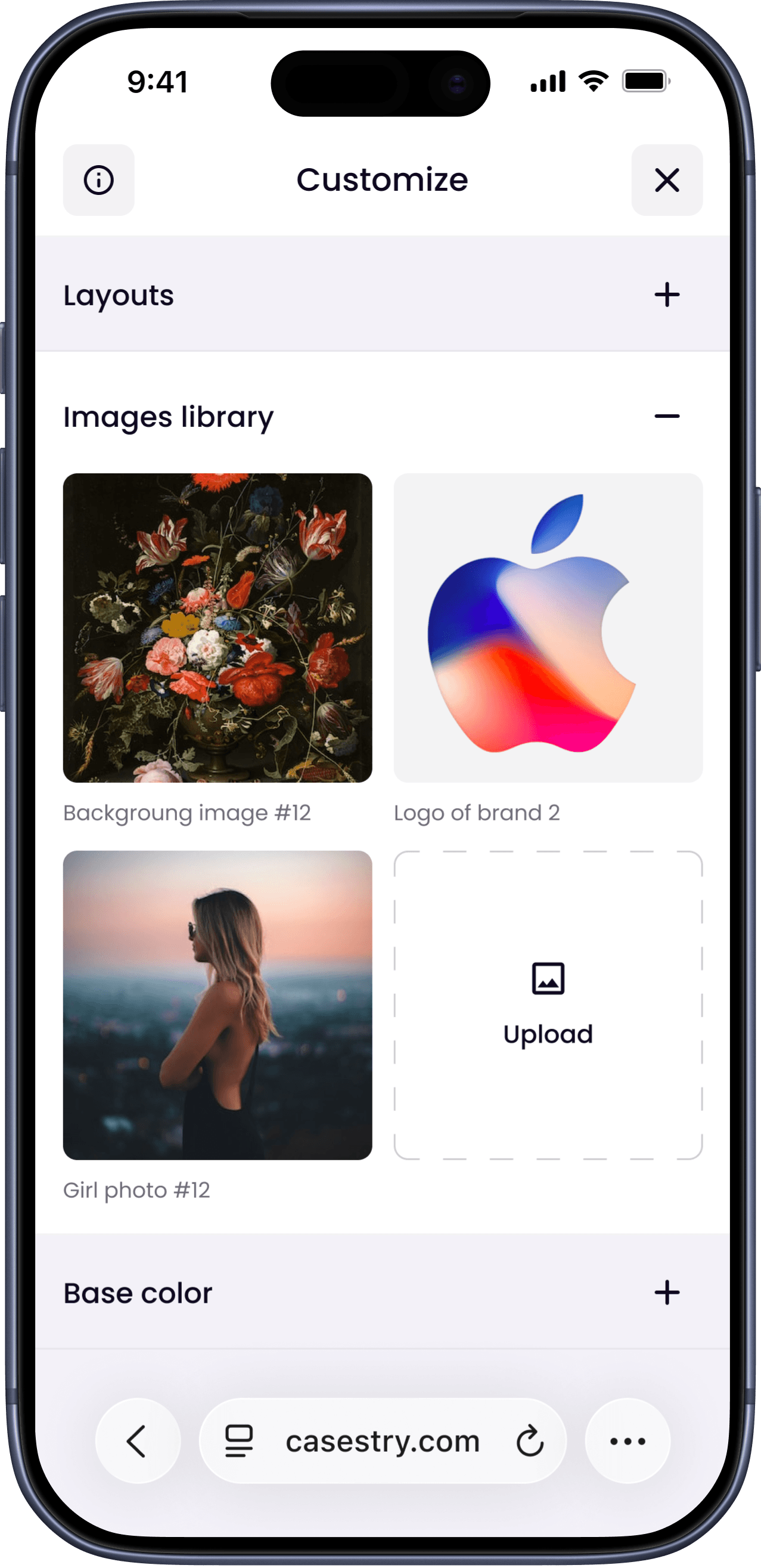
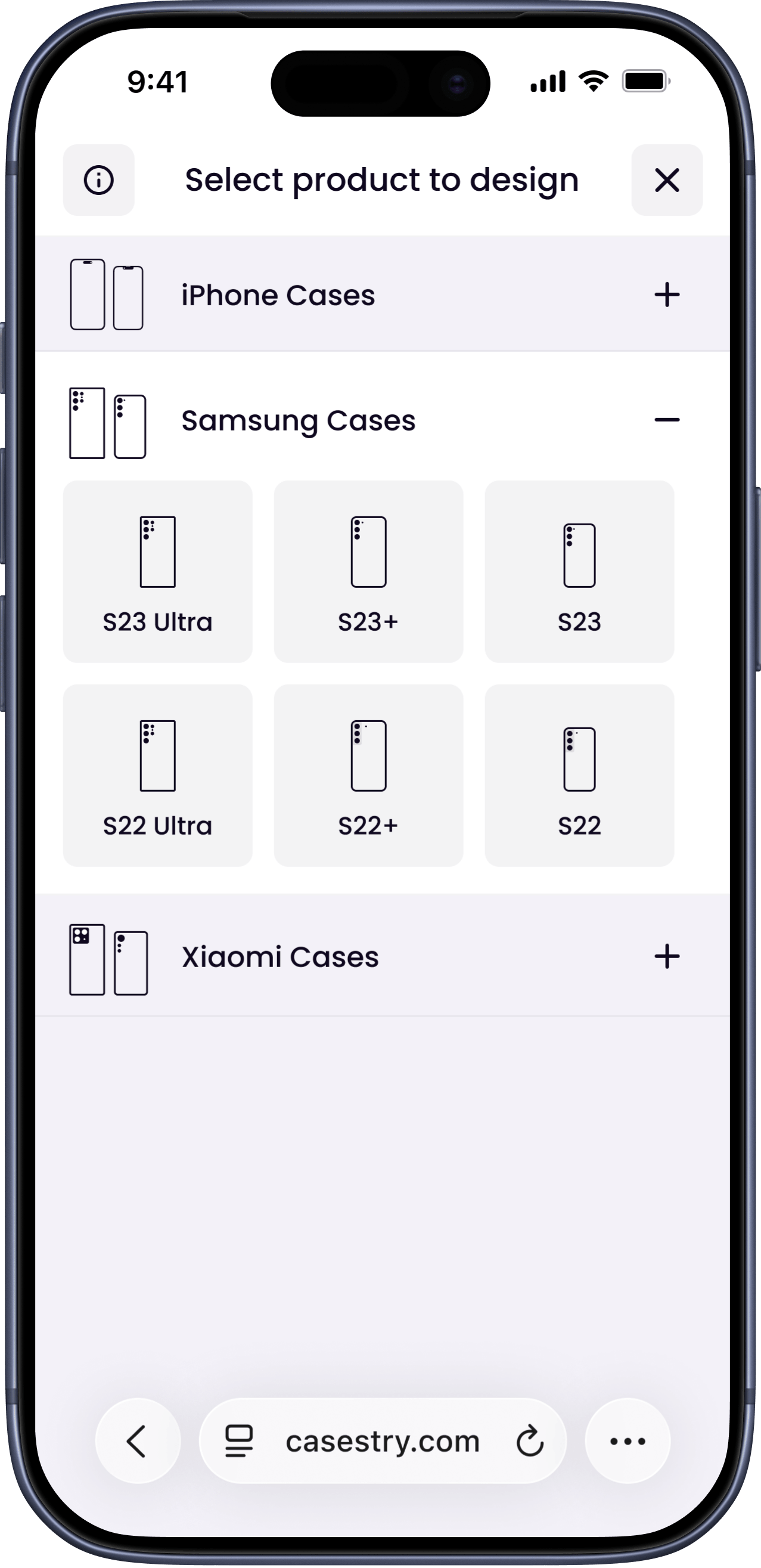
Seller Flow
Approve
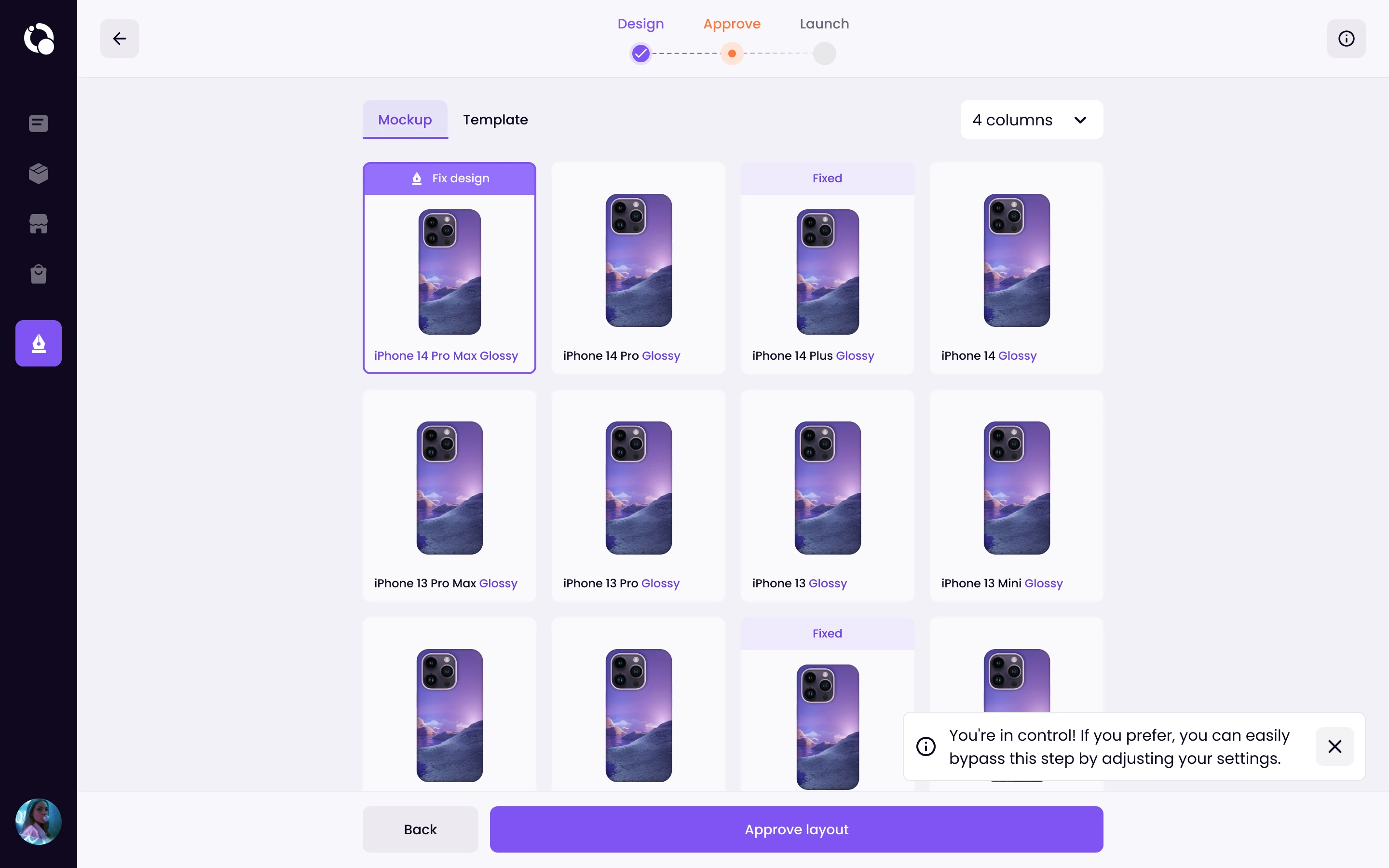
After finishing the design, the seller moves to an approval screen before creating the listing. This step shows how the design renders across every model in the lineup at once.
It matters because a design that looks fine on iPhone 14 Pro can have cropping issues on iPhone 13 Mini. Catching that before publishing saves sellers from going back and editing listings one by one.
Launch
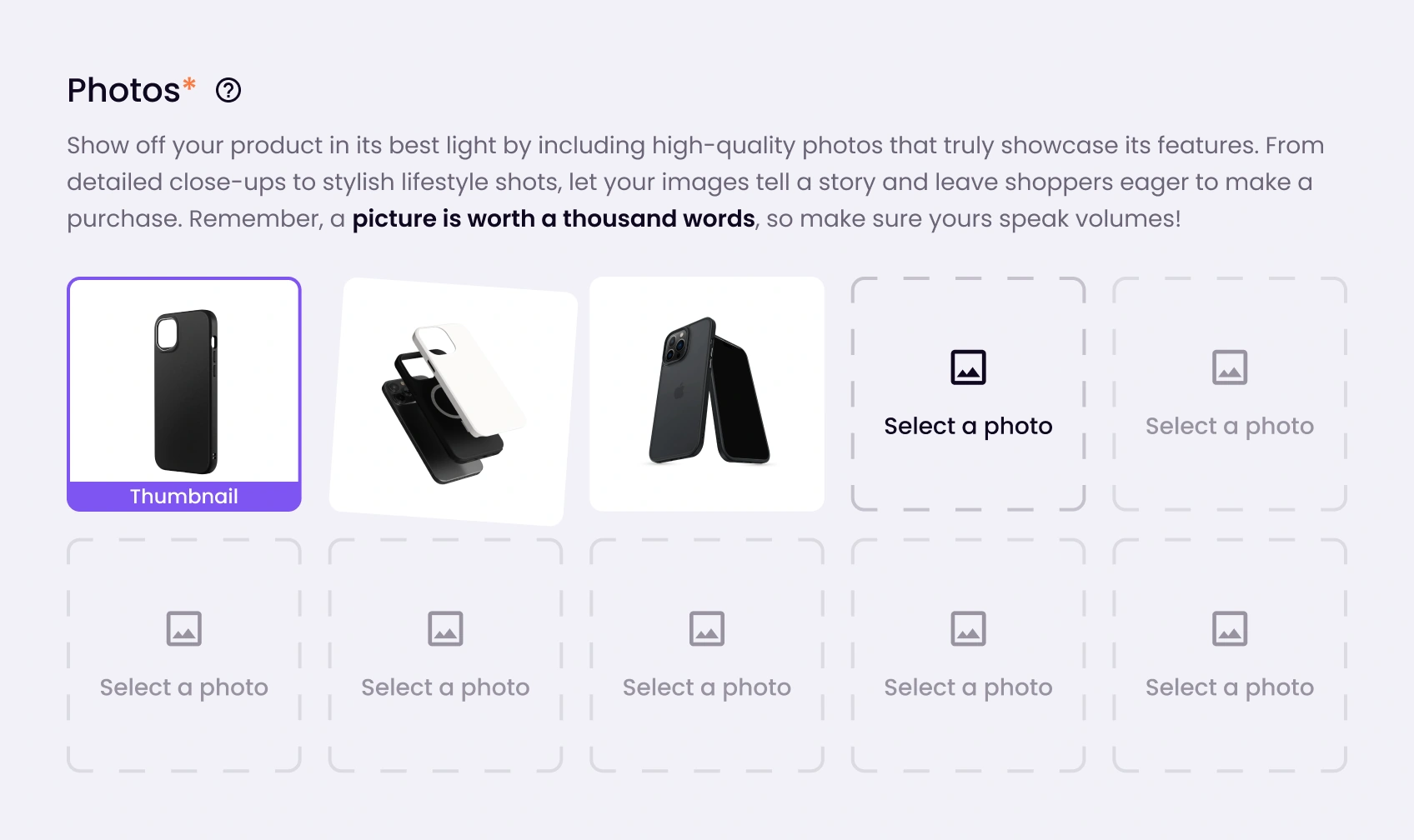
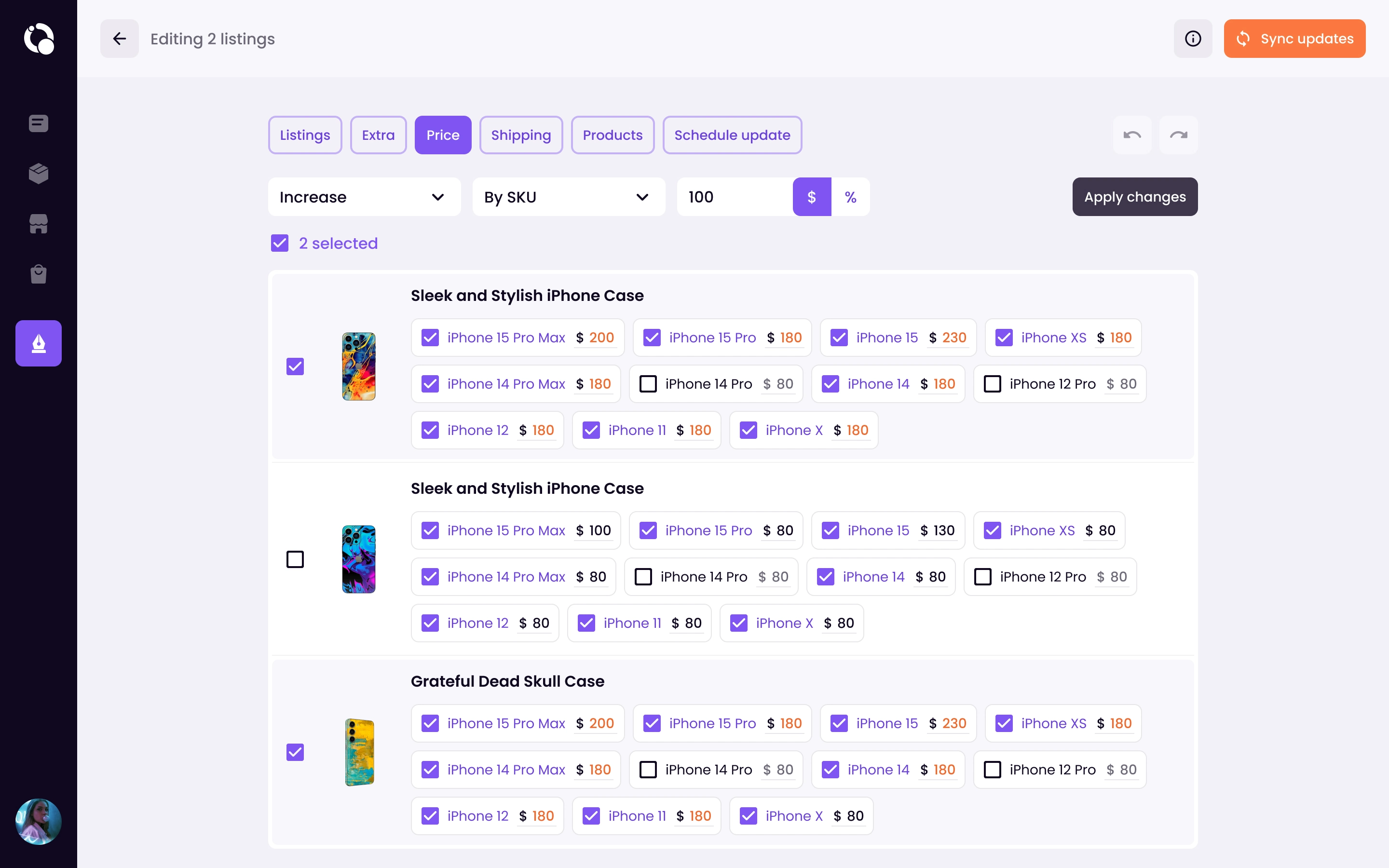
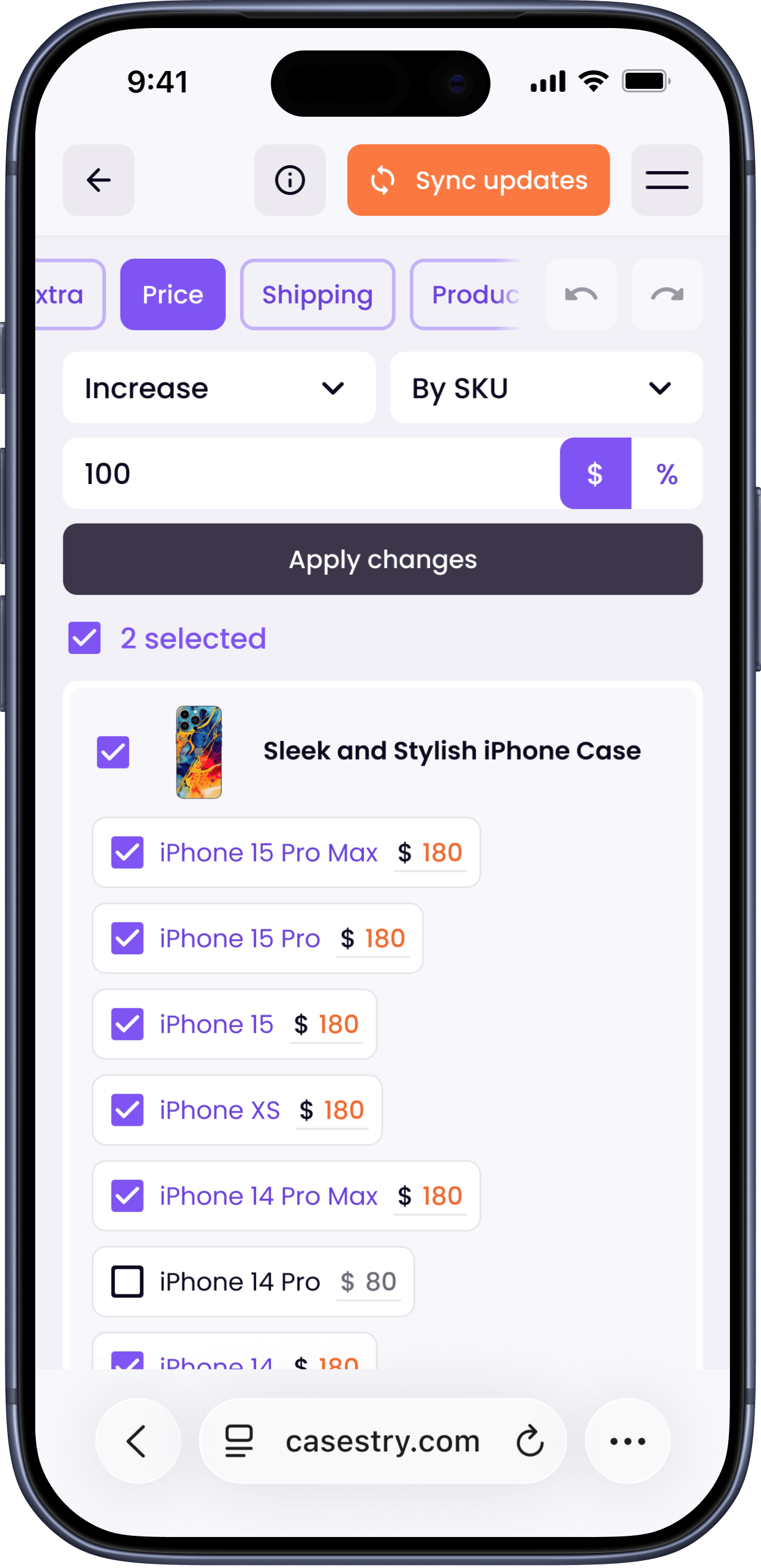
The final step before publishing. The seller sets the listing title, uploads photos, and configures pricing. There's an option to set different prices per model.
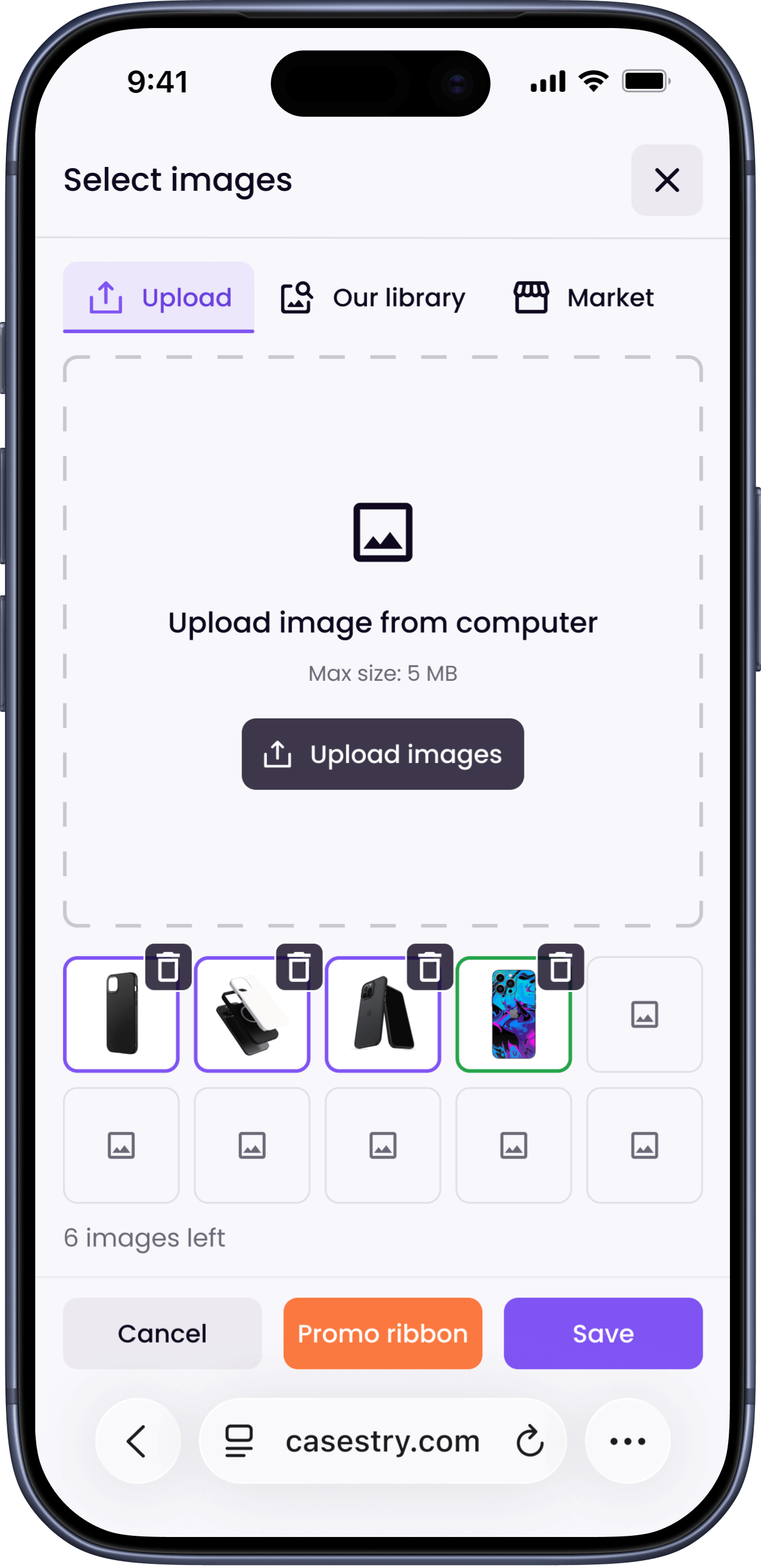
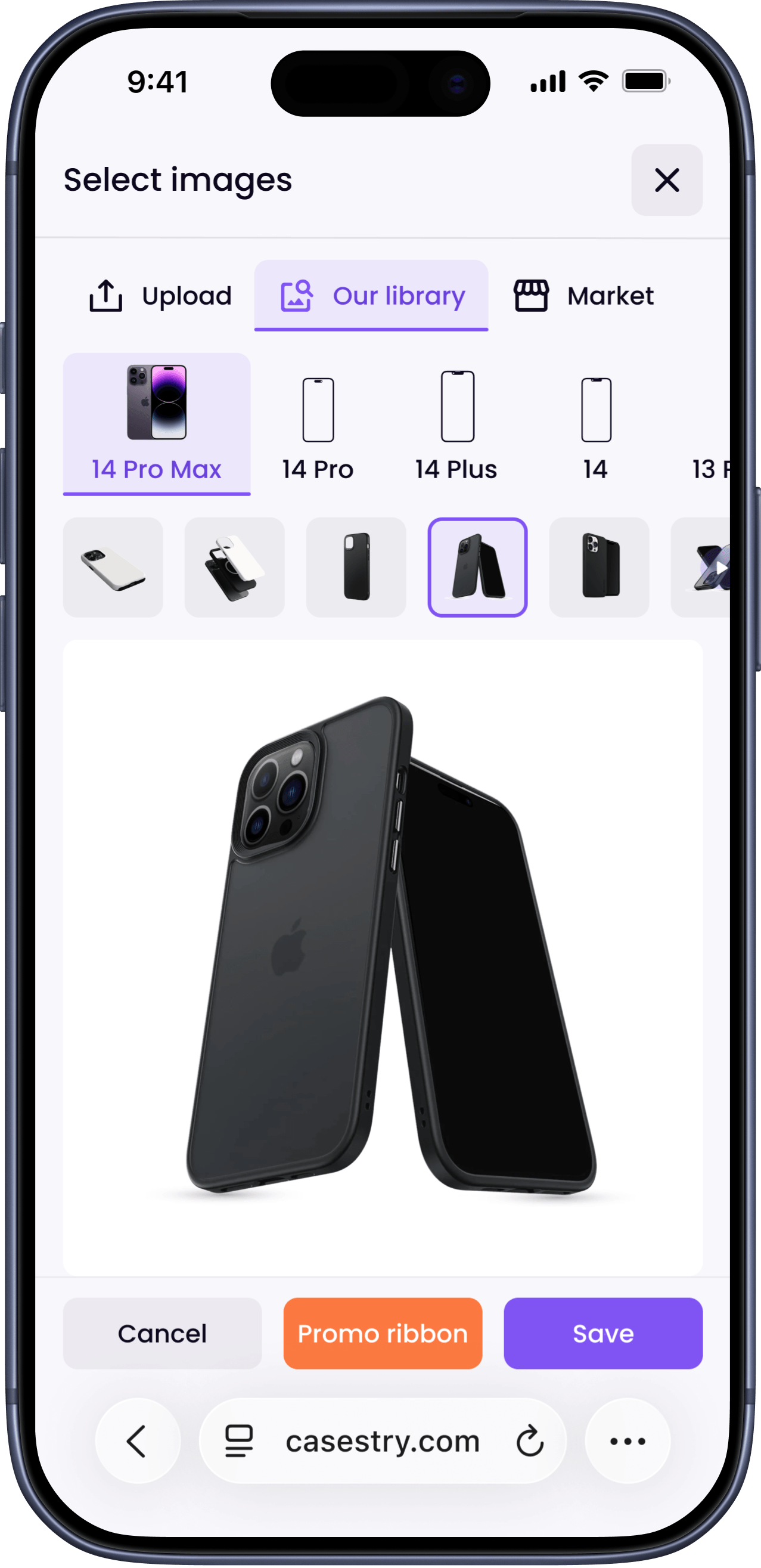
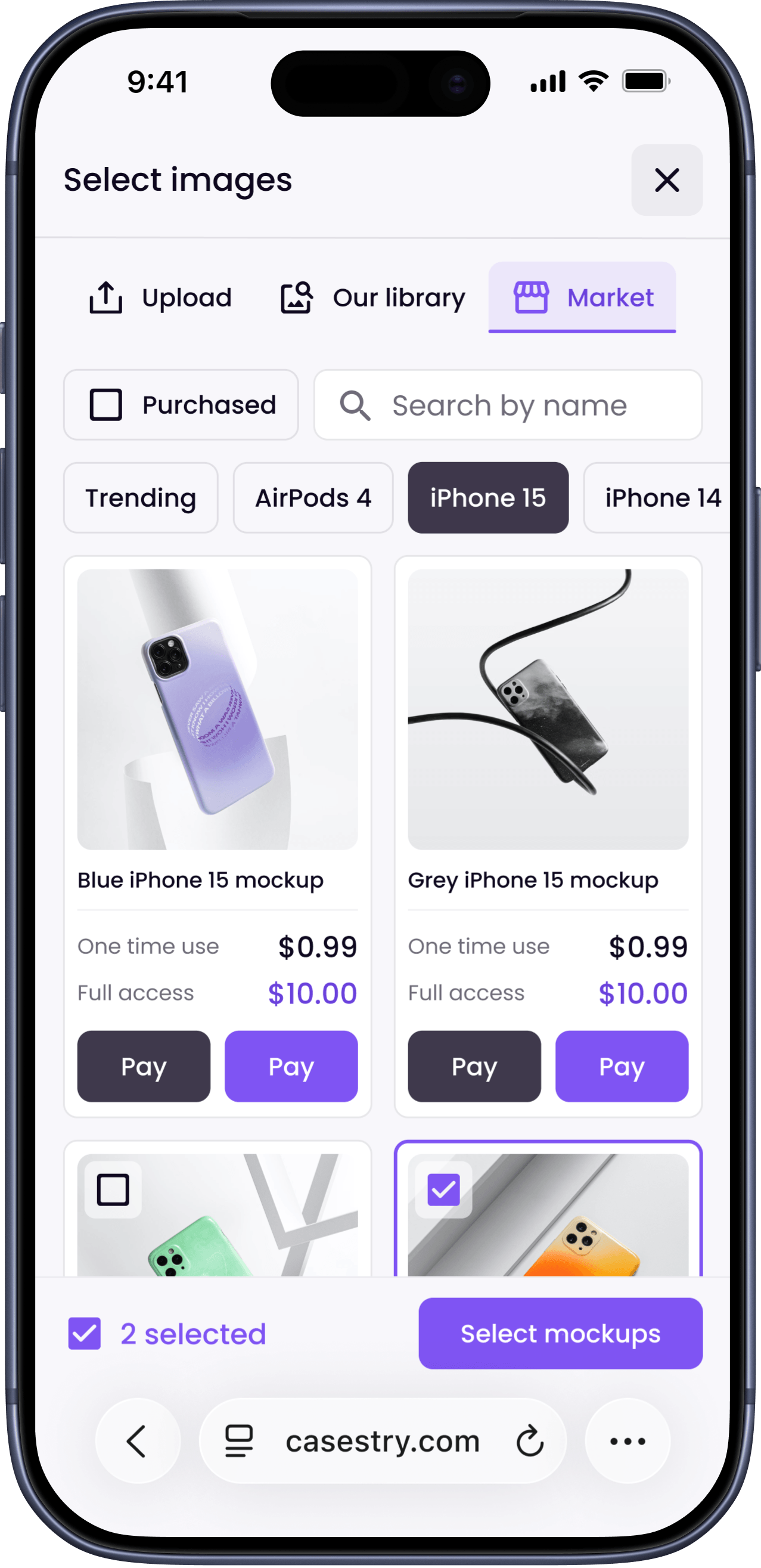
To upload images, the platform provides a modal window with three tabs:
- Upload from computer
- Select from library: access to the collection of images offered by the platform
- Market: high quality paid images are presented here. These aesthetically pleasing images help improve the appearance of ads and increase their appeal, which in turn helps increase conversions
The last option exists because listing quality directly affects conversion on marketplace. Better photos, more sales.
Listings & Bulk Editing
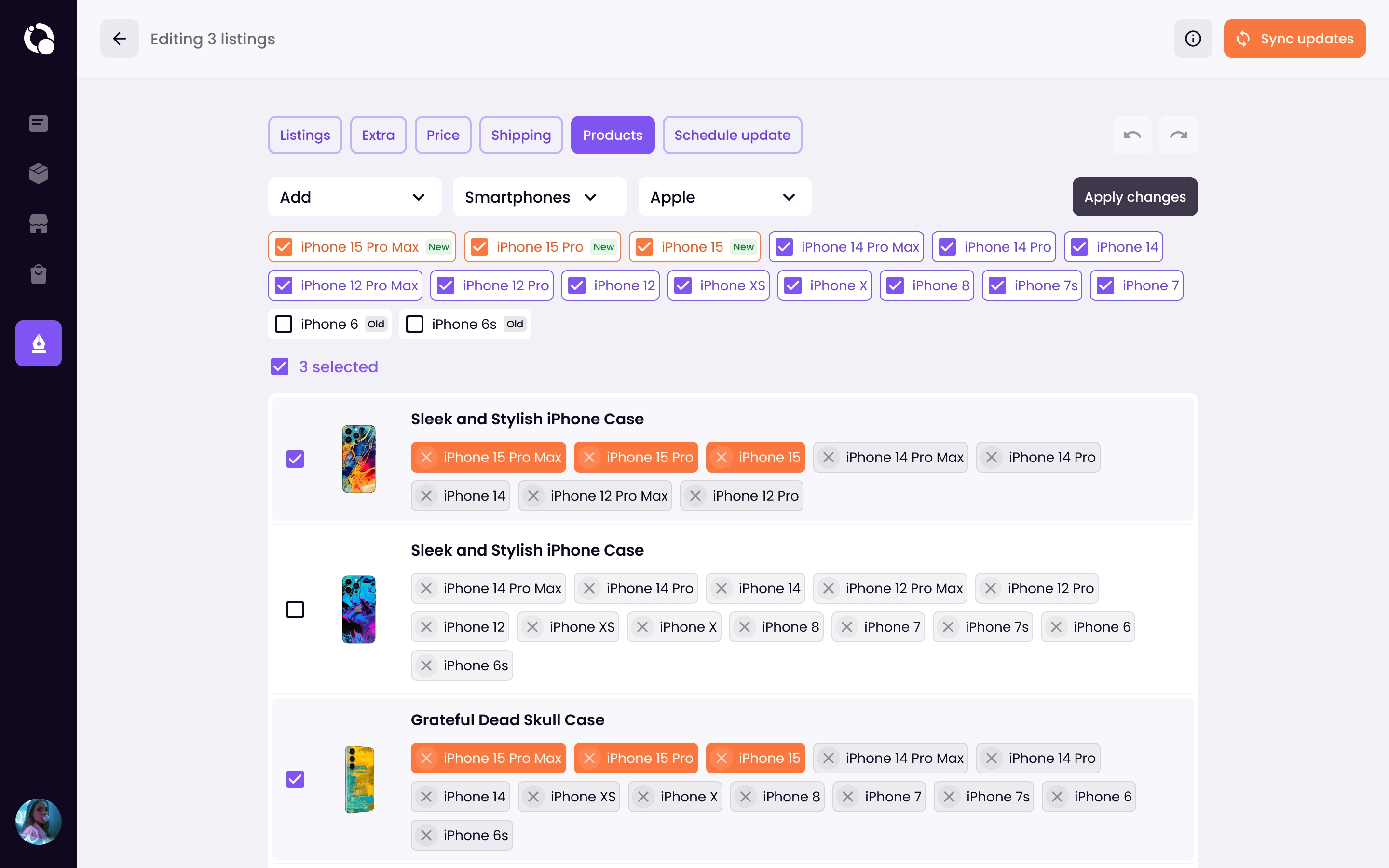
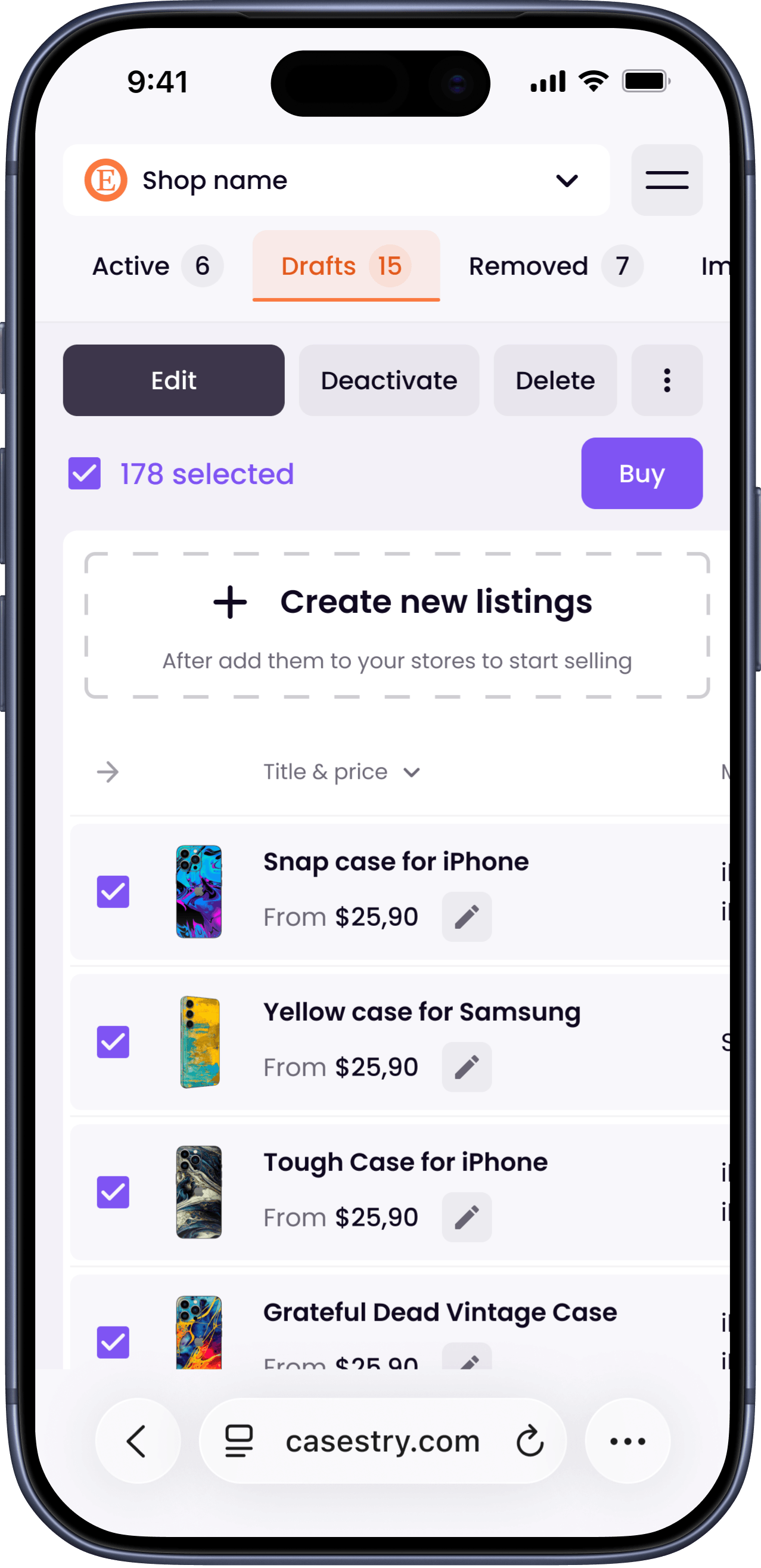
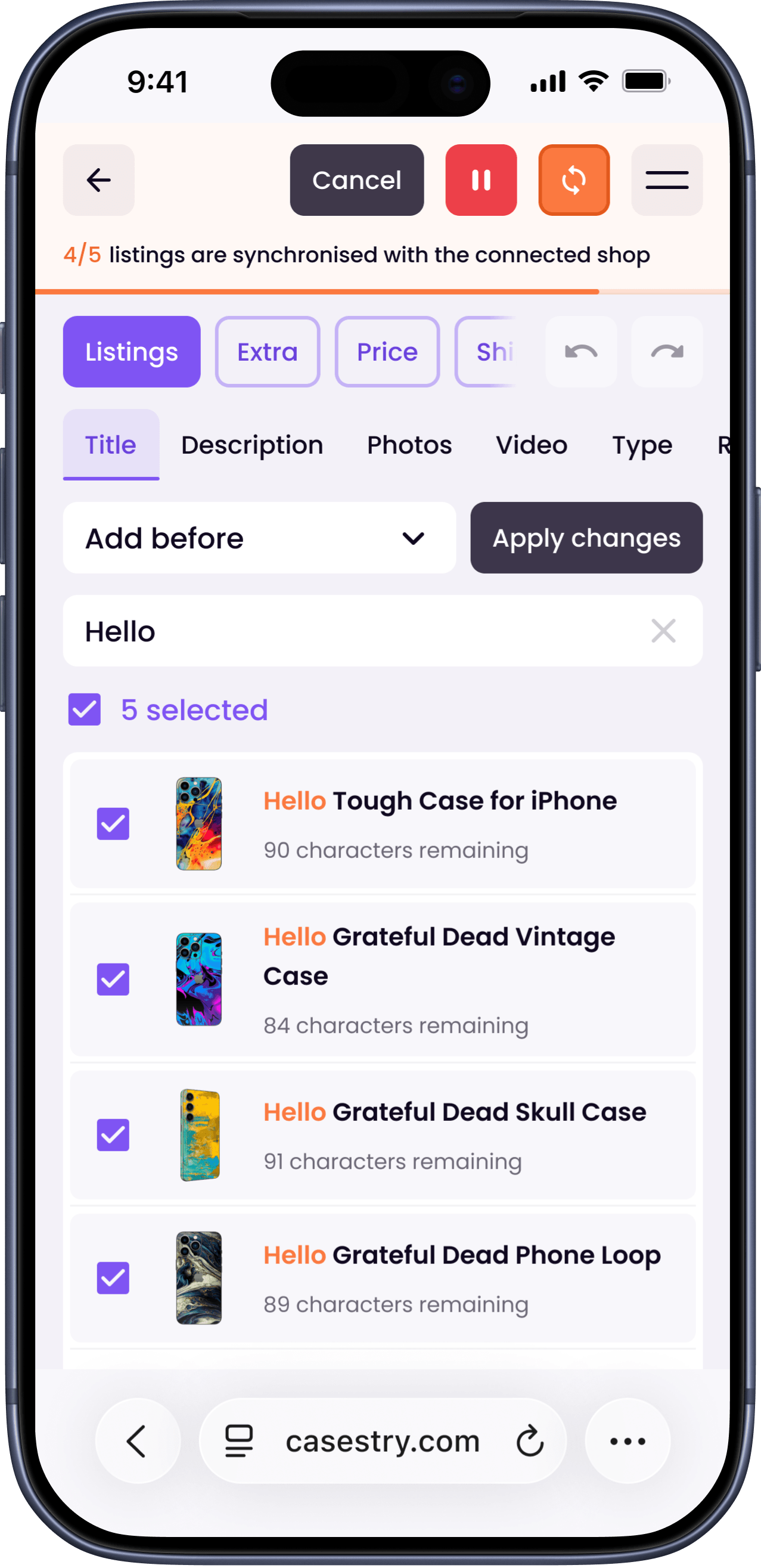
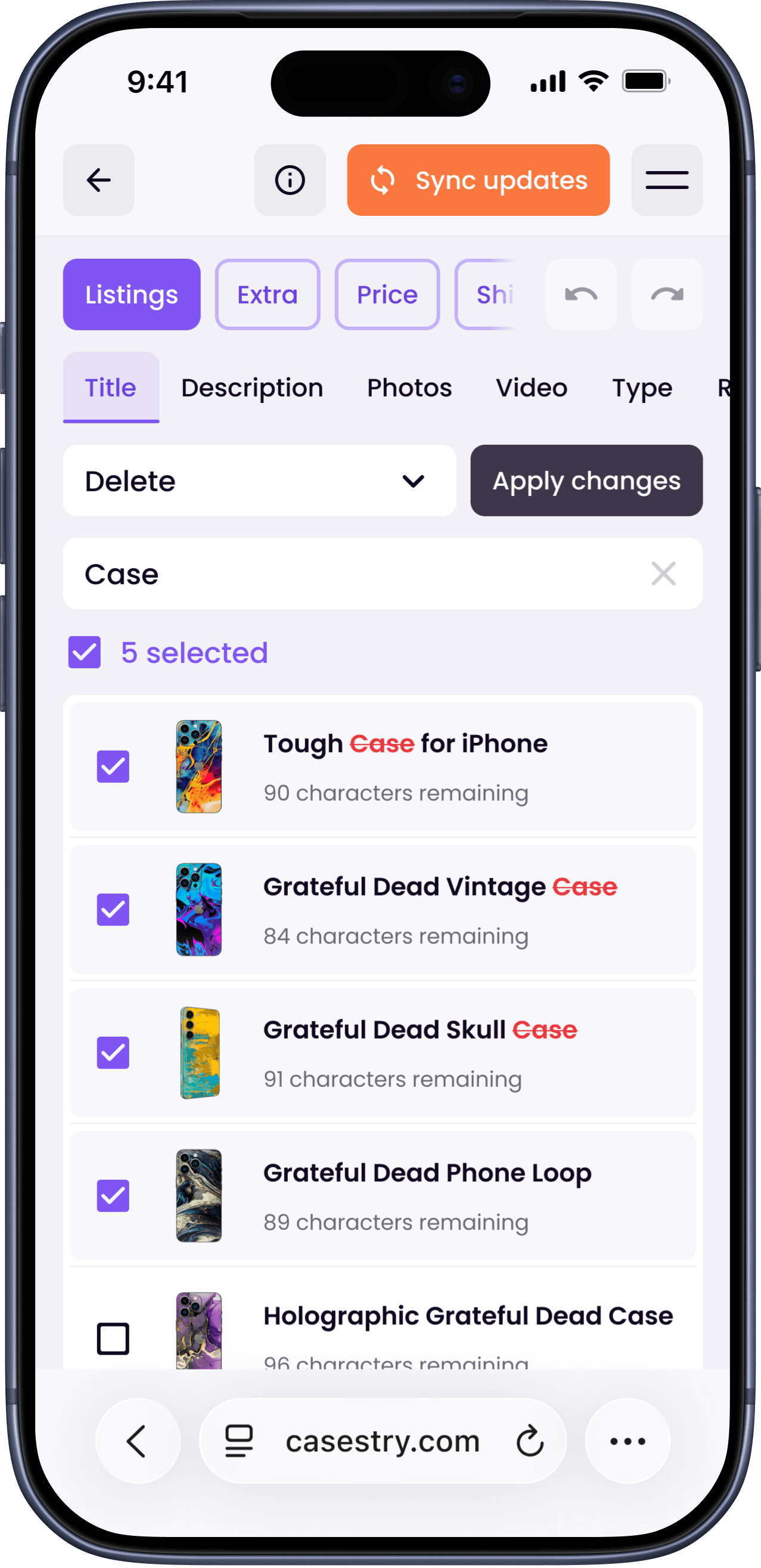
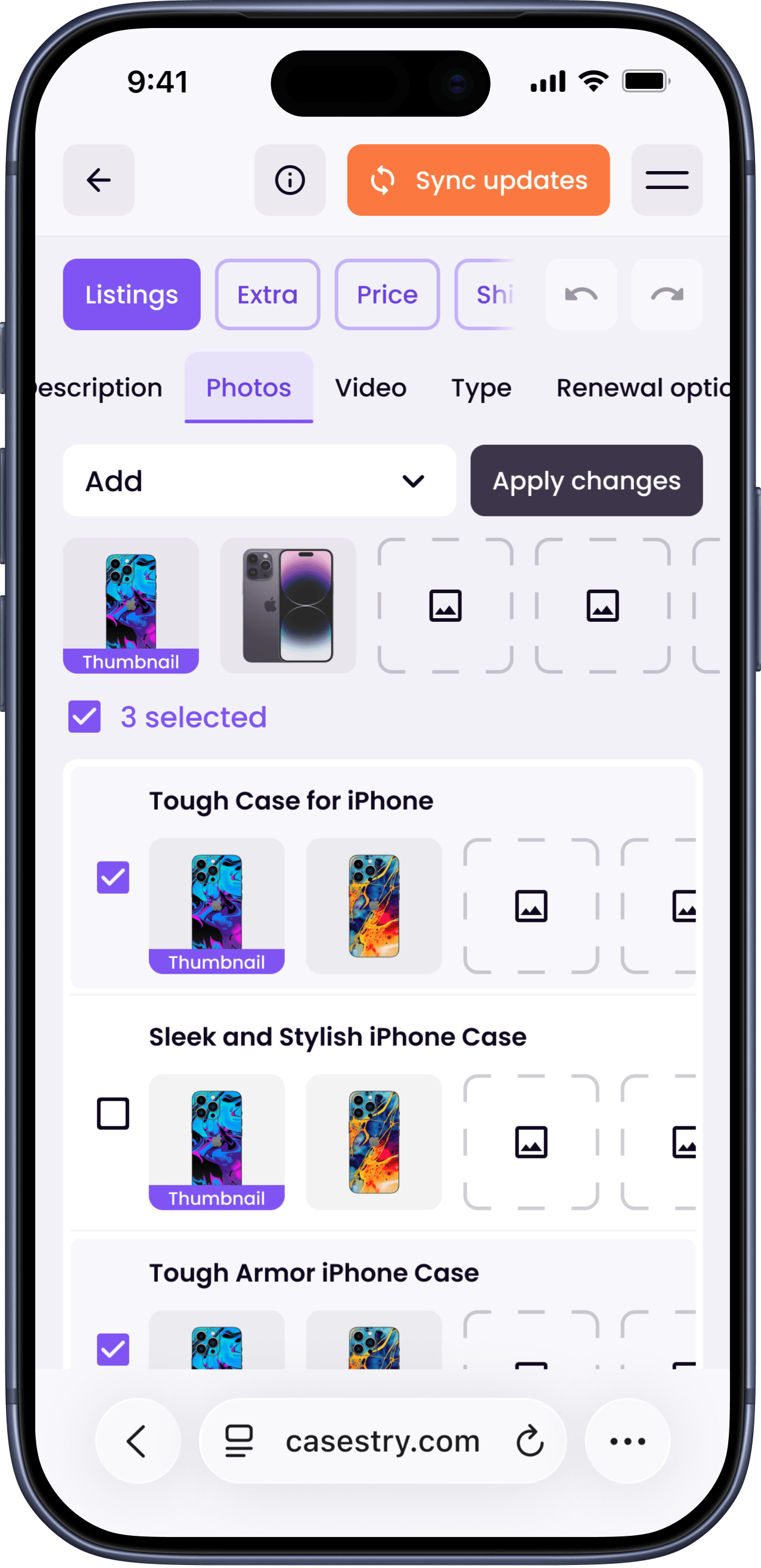
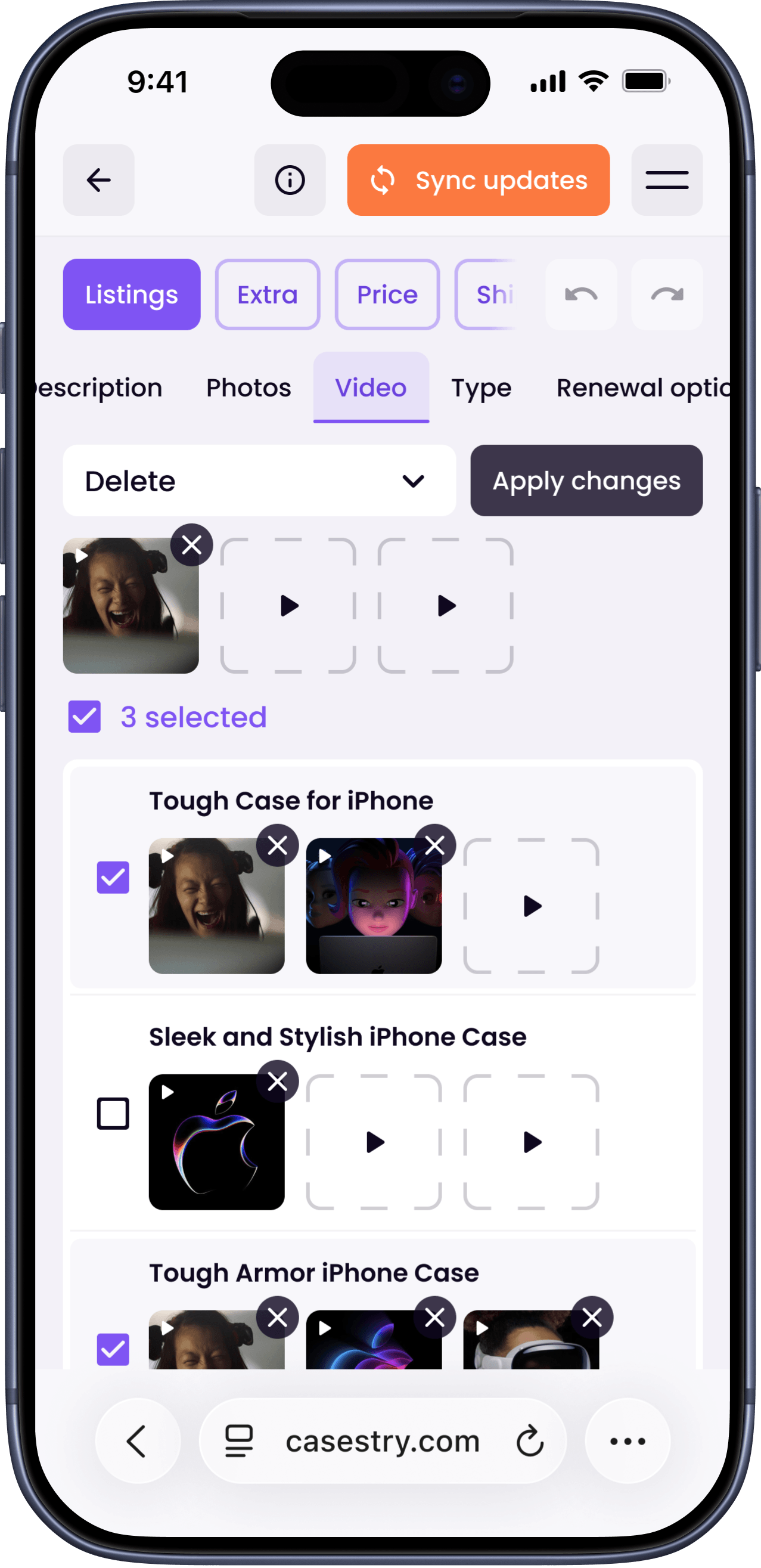
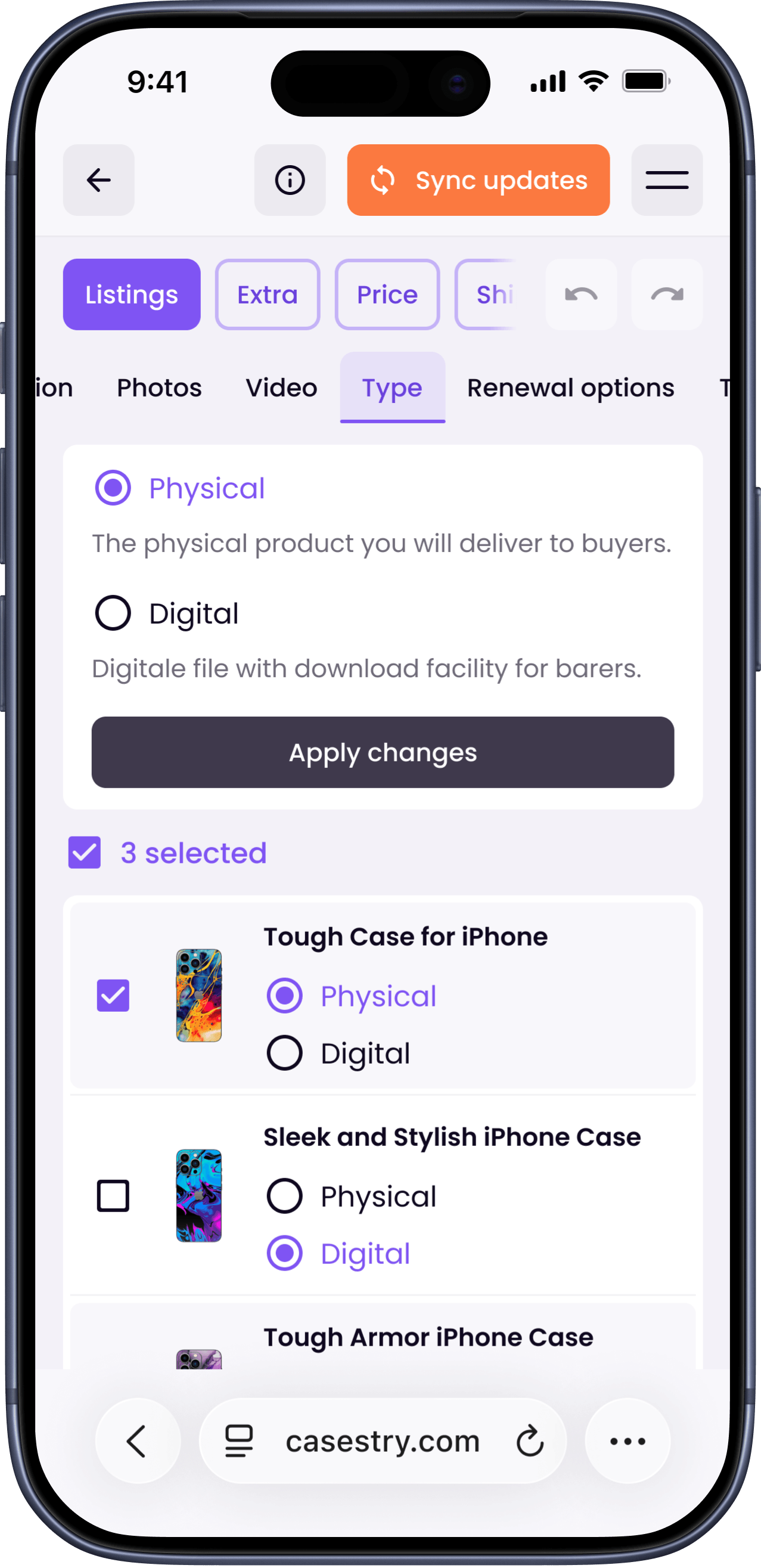
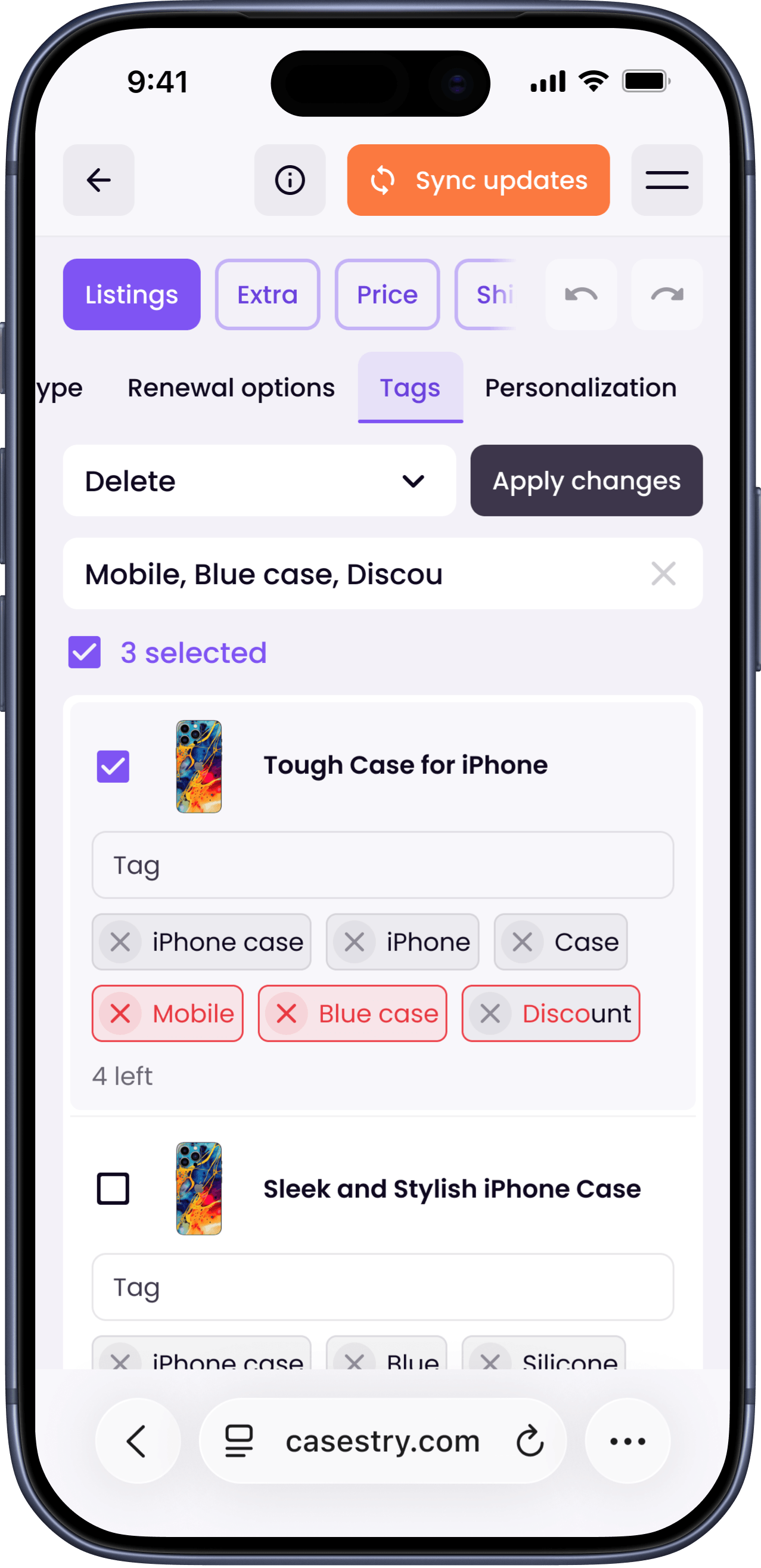
Once a seller has many listings, managing them becomes its own problem. The listings page lets sellers select multiple listings and update titles, descriptions, photos, and prices all at once. Changes sync automatically to Etsy or Shopify.
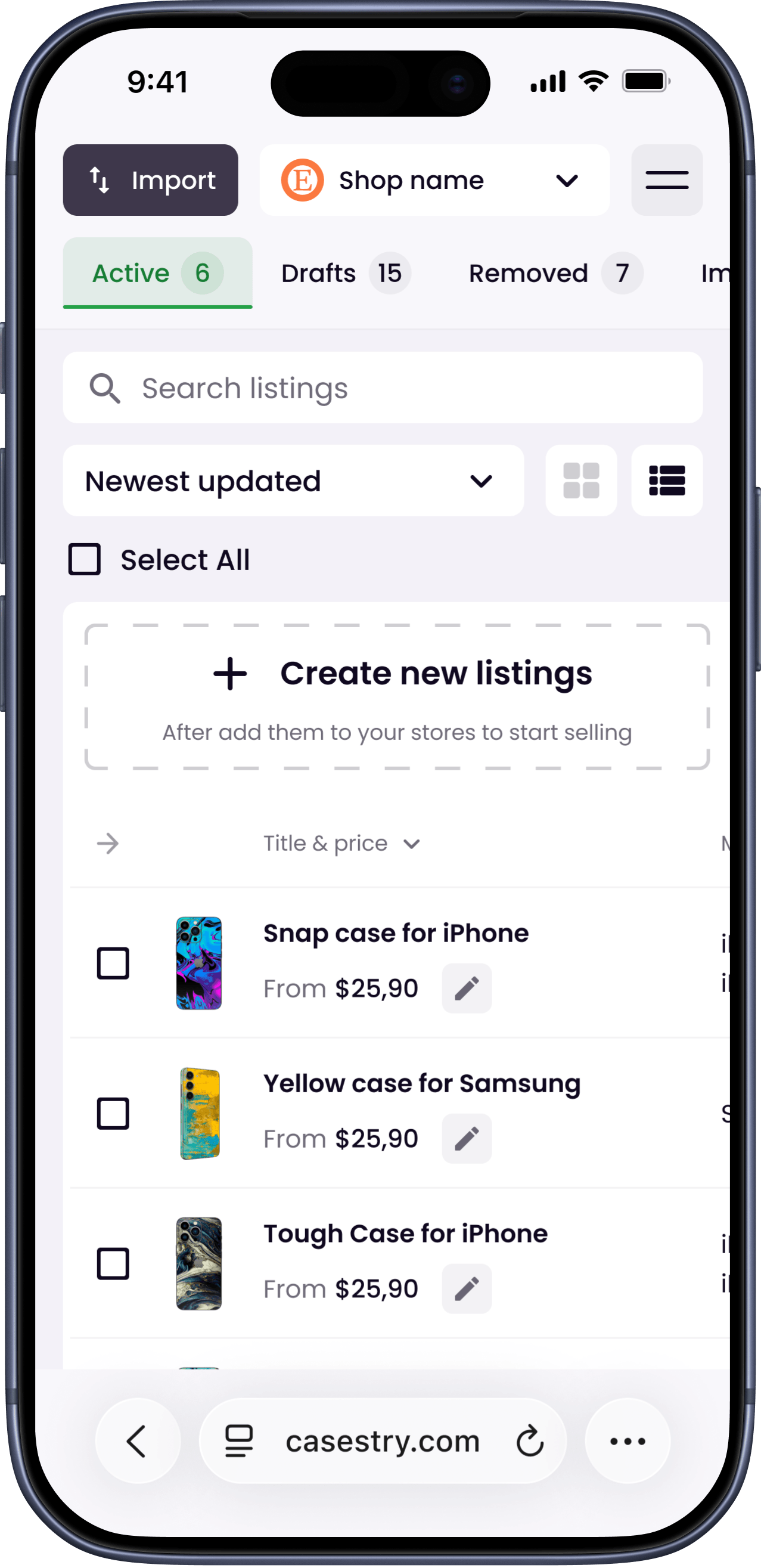
Sellers with existing stores can import listings directly, so they don't have to start from scratch.
Results
- The product was developed and launched by the client's team after handoff.
- During testing with the client's team and potential users, two things stood out: the Approve step reduced the risk of publishing wrong images, and bulk editing directly addressed the time problem sellers described in early interviews.
What I would improve
Onboarding was missing. Right now the platform doesn't ask who you are at registration, so B2B and B2C users land in the same flow. I'd add an onboarding step right after signup with a few questions about the user type. That way the product can show the right flow from the start, instead of making users figure it out themselves.