Ami Speak
How a personal word list turned into a language learning product
For the last few years I've been learning English and saving new words in Notion. Once the list passed 1,000 words, I saw that saving a word is easy and getting it into real speech is hard. So I designed and built Ami Speak, an app that brings my main ways of learning a language into one place: vocabulary, speaking, grammar and reading, with a plan for each day.
Try the live appBefore
Words piled up in a table, while reading, speaking and practice lived in different apps.
After
One system around my own words: they come back in reading and speaking, progress updates as I practise, and grammar mistakes stay in one place.
What Didn't Work in the Way I Learned English
I had a separate tool for each part of English. Each worked on its own, but nothing connected them: I lost track of the words I was learning, and grammar mistakes were saved somewhere else.
Reading showed the trade-off best. When I talked to people learning English, most of them translated whole articles with a browser plugin: fast, but it kills the learning.
How can practice be almost as easy as a translator, without losing the value for learning the language?
How I Solved These Tasks in Other Products
Anki, Quizlet, Duolingo, ChatGPT and SmallTalk2Me each did one part well. None of them was built around my own words, and that was the missing piece.
Connecting Separate Scenarios Around One Vocabulary Base
Hypothesis: if my words keep coming back in reading and speaking, more of them will move from passive to active vocabulary.
Today's plan picks the next step from all 4
Designing the Experience
- First versionI built an MVP for my own learning: my Notion words in a table, flashcards, a talk with AI and reading.
- Testing with learnersA small group of people learning English used it, and I watched where they got stuck.
- Second versionWhat follows. Each part shows what testers ran into and what I changed.
Ami Speak has 5 parts, and the plan for today ties them together.
Today's Plan
The app plans the day, the way a teacher plans a lesson.
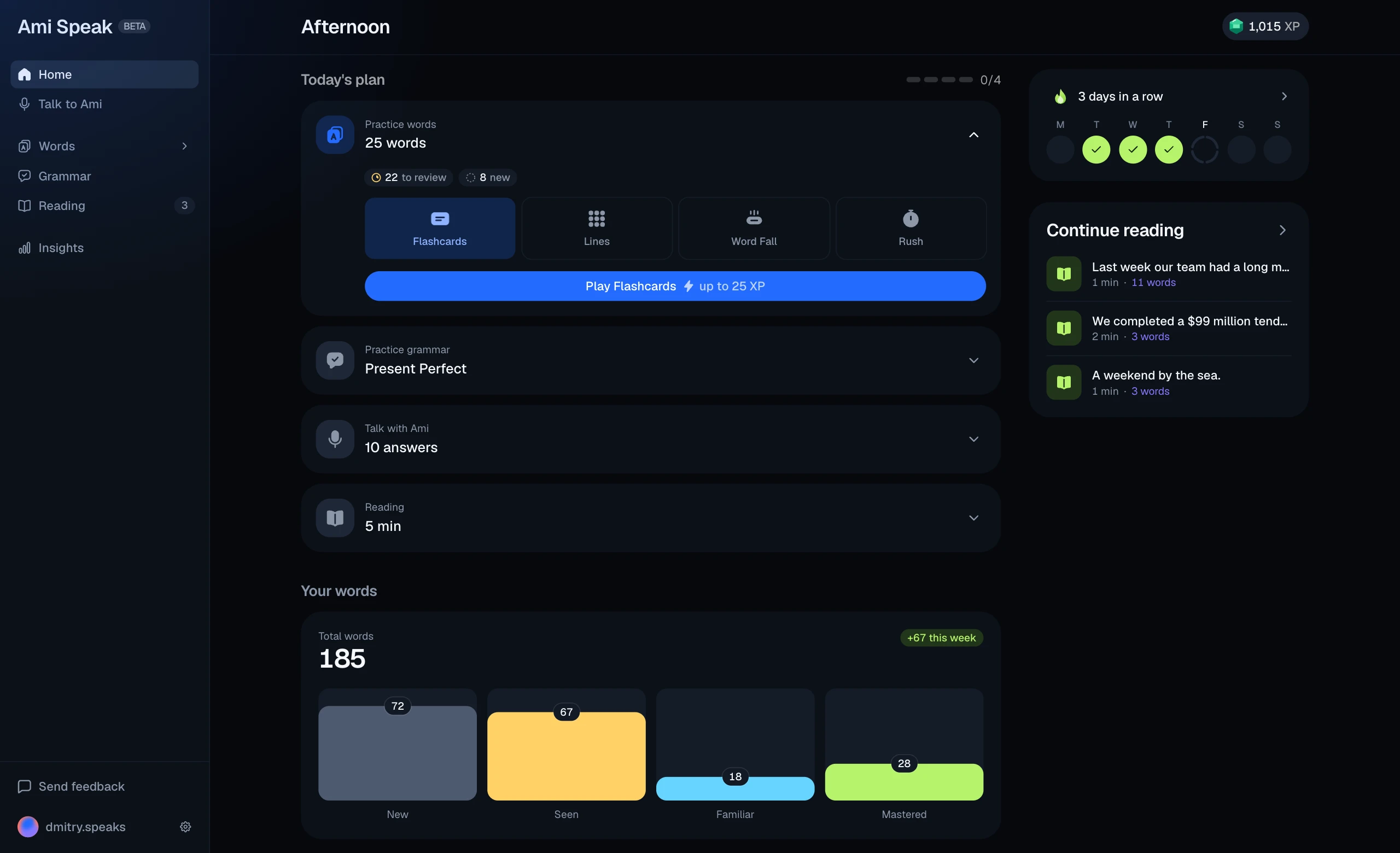
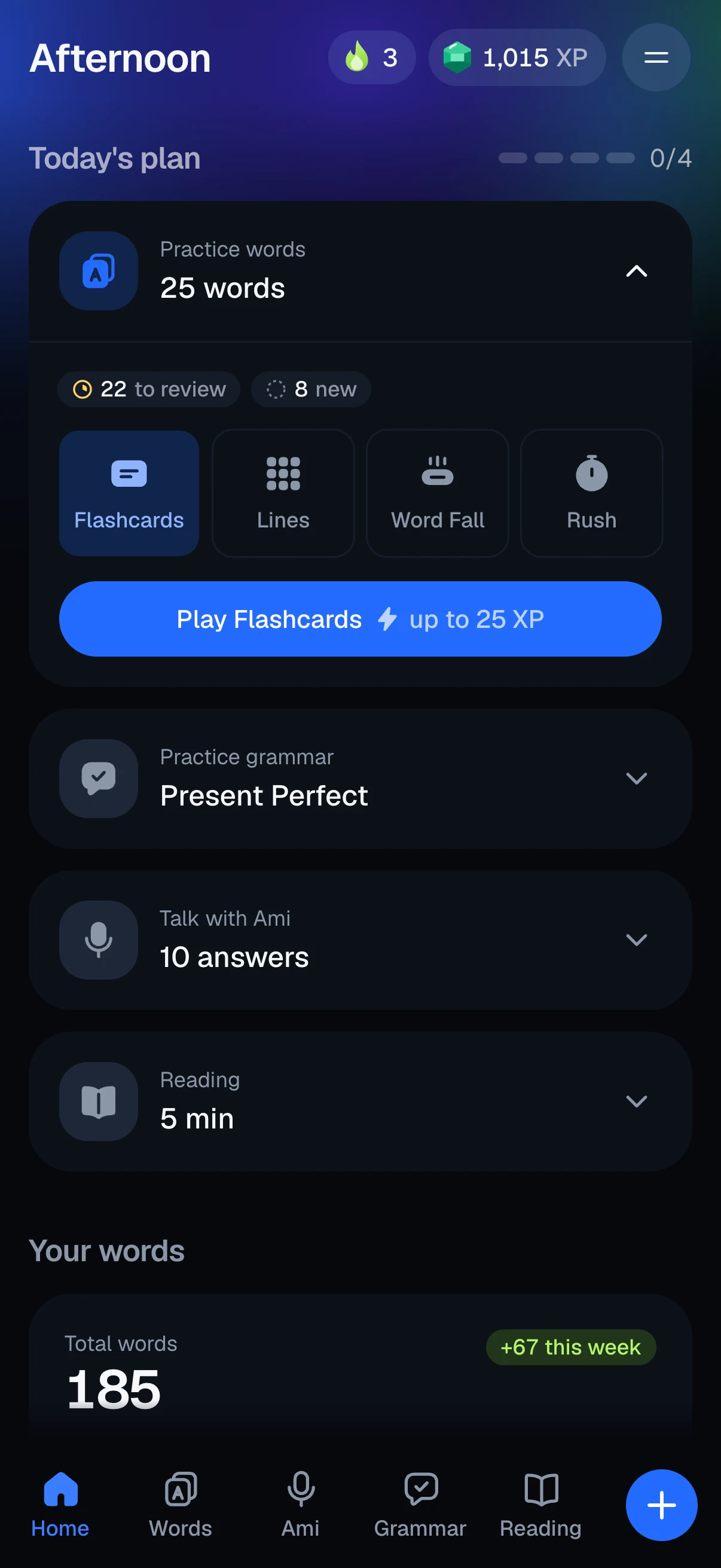
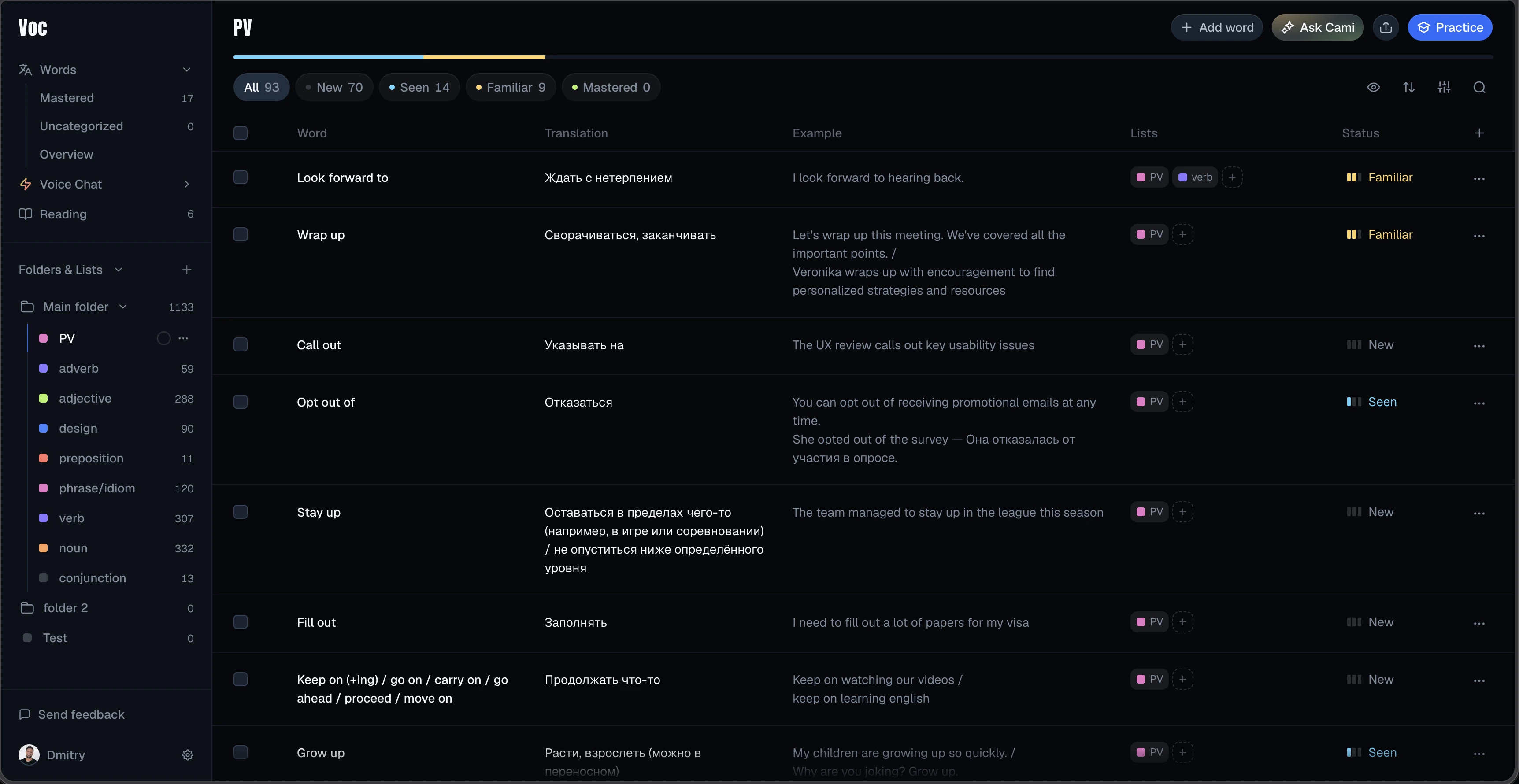
Problem: Testers opened the app on the word list and didn't know what to do first. One called it "everything in a pile, no clear steps."
What I changed: Home shows 4 short steps for today: words, grammar, a talk and reading. The dictionary and the grammar catalogue are still there when you want them.
Words
Every other part reads from the vocabulary: talks pick the words that are due, reading highlights them, games train them. So it has to stay quick to fill and easy to reorganise past 1,000 words.
A Format Every Learner Already Knows
Most learners keep a notebook with 3 columns: word, translation, example. Ami Speak keeps that table because it's the easiest to scan, and hiding the translation column turns it into a quick quiz.
Folders and Lists Architecture
A new list takes a second, folders group lists by area, and a word moves to another list in one click.
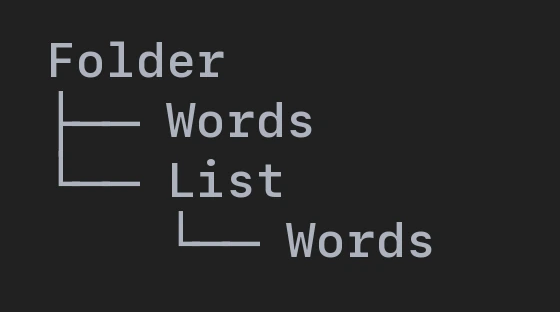
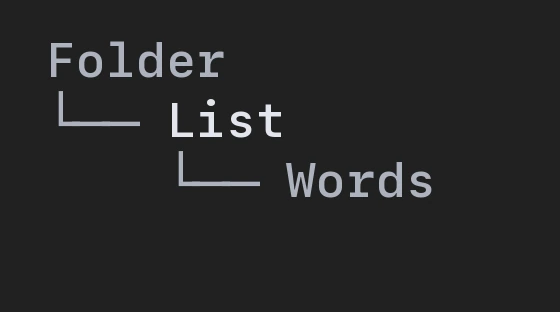
Problem: In the first version a folder could hold words and lists side by side, the way folders usually work on a computer. In testing, people got lost: a word could be in 2 kinds of places, and they couldn't tell where to look.
What I changed: Words live only in lists, and folders just group lists. One rule is easier to keep in your head, and lists and words still move freely.
Change a status, pick a few words, add them to another list, switch to the compact view.
Word Statuses Run the Whole App
In Notion I set statuses by hand and lost track past a couple hundred words. Here the status updates itself from whatever you do.
- New
- Seen
- Familiar
- Mastered
| Where | What happens |
|---|---|
| Games | Know moves a word up a level, Don't know moves it down one |
| Talk with Ami | Say a word correctly and it moves up a level |
| Reading | Change a word's status in one tap, right in the article |
The status sets when a word comes back, from a day for New to a month for Mastered, and Today's plan picks the words that are due.

Adding a Word with Almost No Typing
A new user leaves if they have to type in a whole vocabulary first. So you type only the word, and the app does the rest.
Meaning and example
AI writes the translation and an example.
Several senses
Tick only the meanings you need.
Irregular verbs
The past forms come with the word.
 Ask Ami: Words In, Words Out
New words pile up outside the app: in notes after a lesson, in a meeting, in an article. Bringing them in takes a couple of clicks.
The biggest barrier to switching is the word list you already have elsewhere. It comes over in a couple of clicks and leaves just as easily, so trying Ami doesn't mean starting over.
| From | What happens |
|---|---|
| After a lesson | Paste your notes or an article, drop a Word file, or just name a topic. Ami returns the words with translations and examples, and you untick what you don't need. |
| Another app | Drop its export as a CSV or TSV. Import matches the columns, so hundreds of words come over without retyping. |
| Out of Ami | Any list exports as a CSV or goes out as a link, ready for another app or an AI chat. |
Games
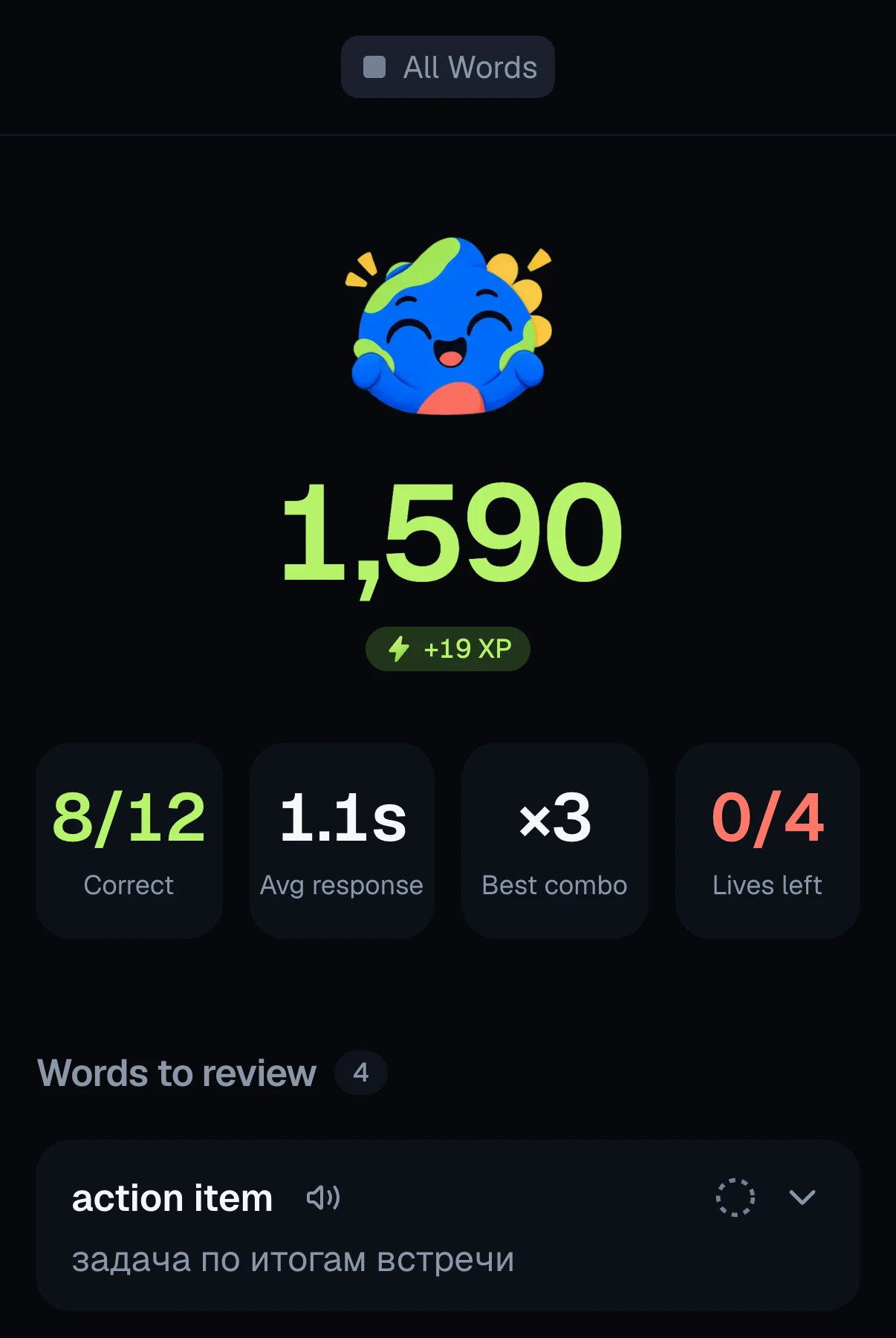
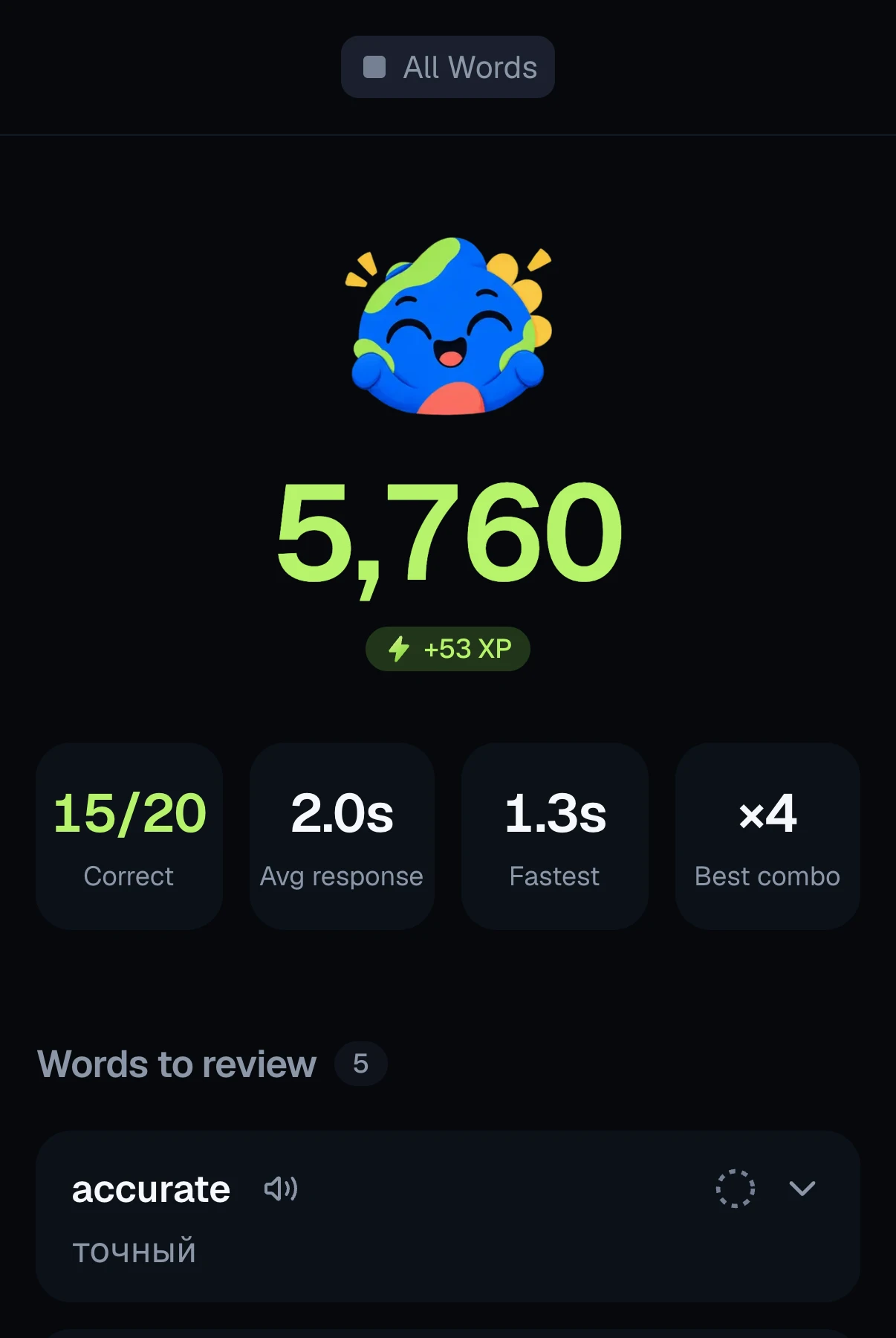
Flashcards turn review into routine. So the same review comes in 4 games, each with its own pace: a calm flip, a combo board, a falling word, a race against the clock. Whichever you pick, the word's level moves.
- Flashcards
- Lines
- Word Fall
- Rush
Lines on a laptop, Word Fall on a phone.
Every game ends with a score, XP and the words you missed. A missed word drops a level and comes back sooner, so even a lost round counts.
Talk with Ami
Flashcards teach you to recognise a word, and a talk makes you use it. ChatGPT, Claude and Gemini are better at open conversation than anything I could build, so Ami doesn't compete as a companion. She's a teacher who knows what a general chat doesn't: your words, your mistakes and your last score.
Ami
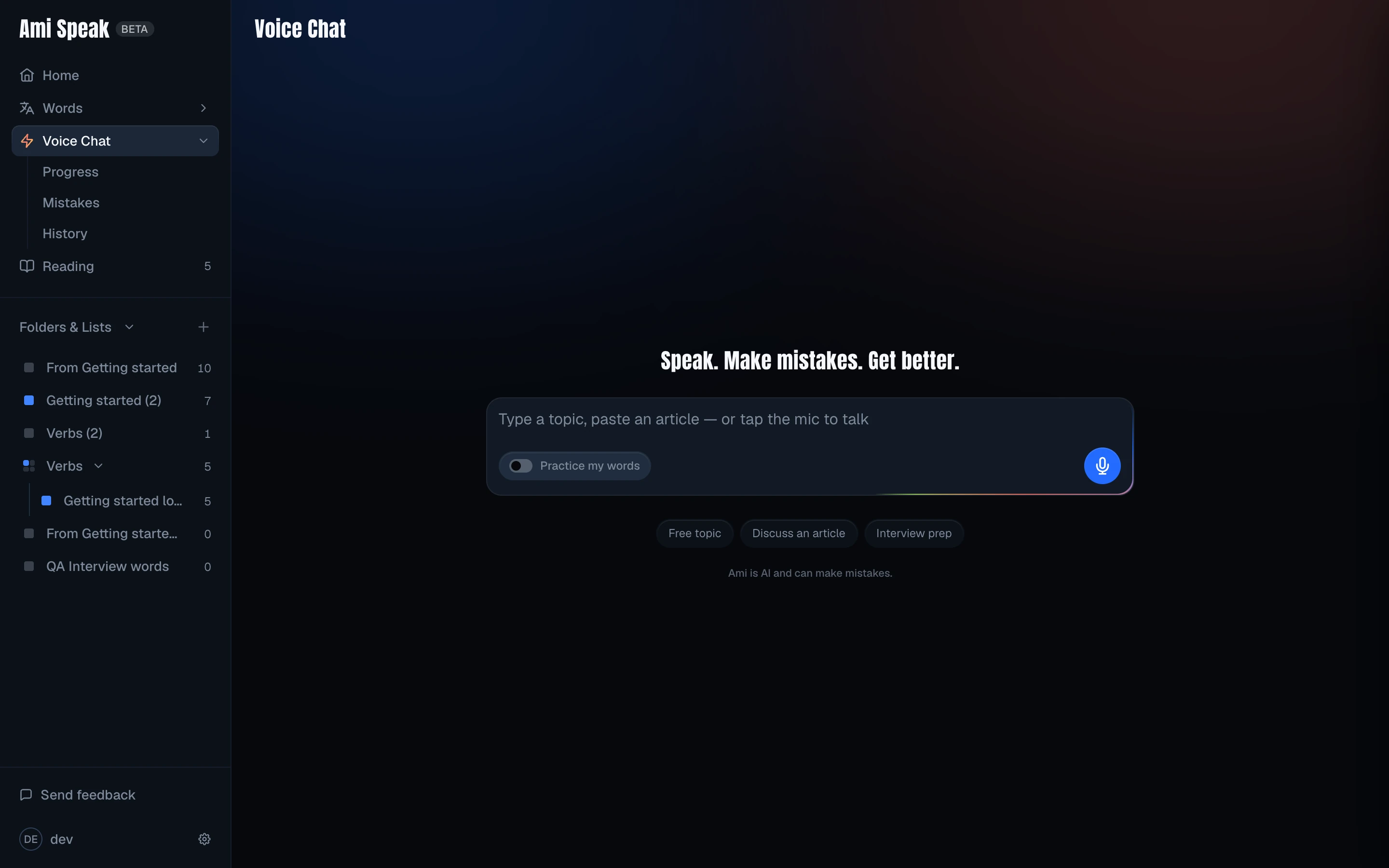
Problem: The first version opened on an empty input. Testers didn't know what to say, and nothing on the page helped them start.
What I changed: Now Ami starts the talk herself. The page shows your last score, your weak topic and past talks, and Ami asks the first question. Testers found this version much easier to get into.
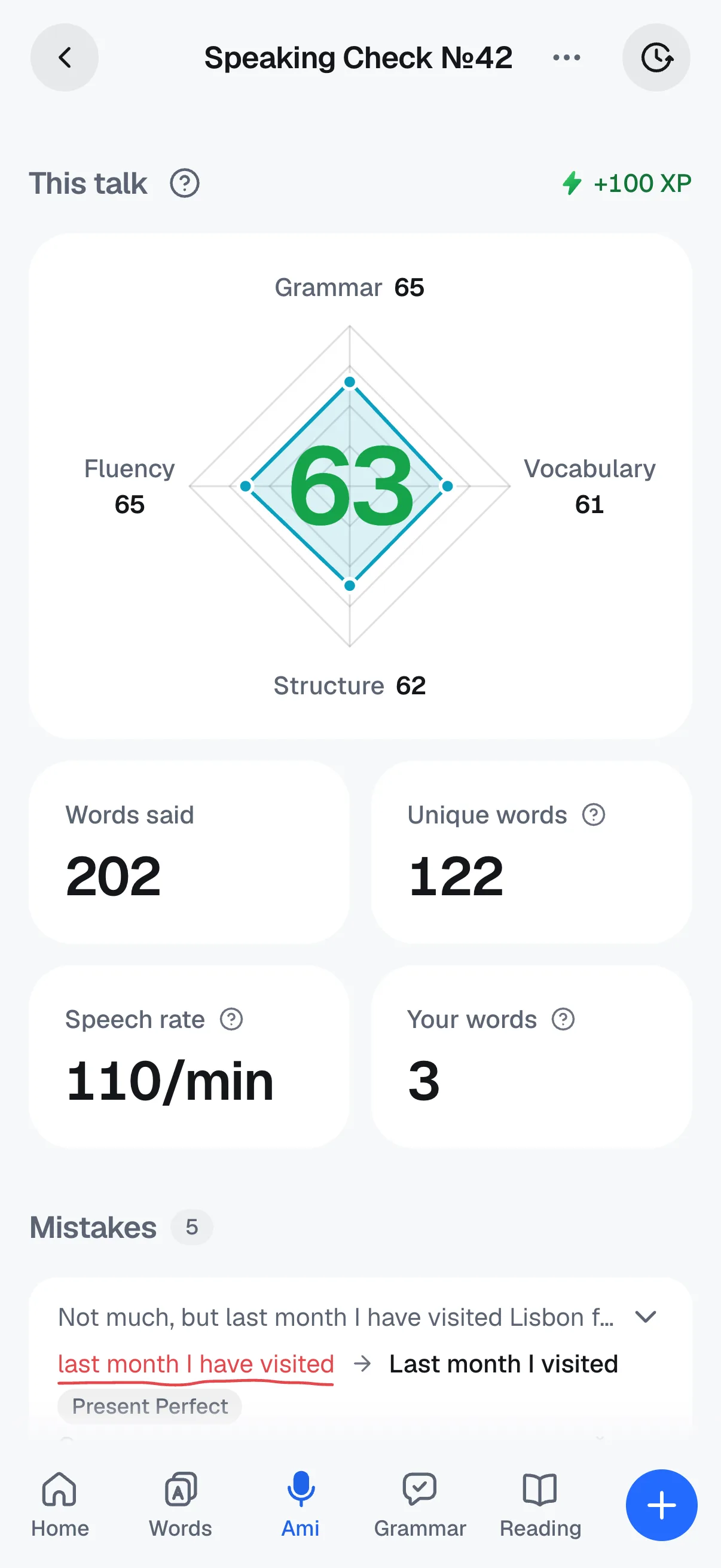
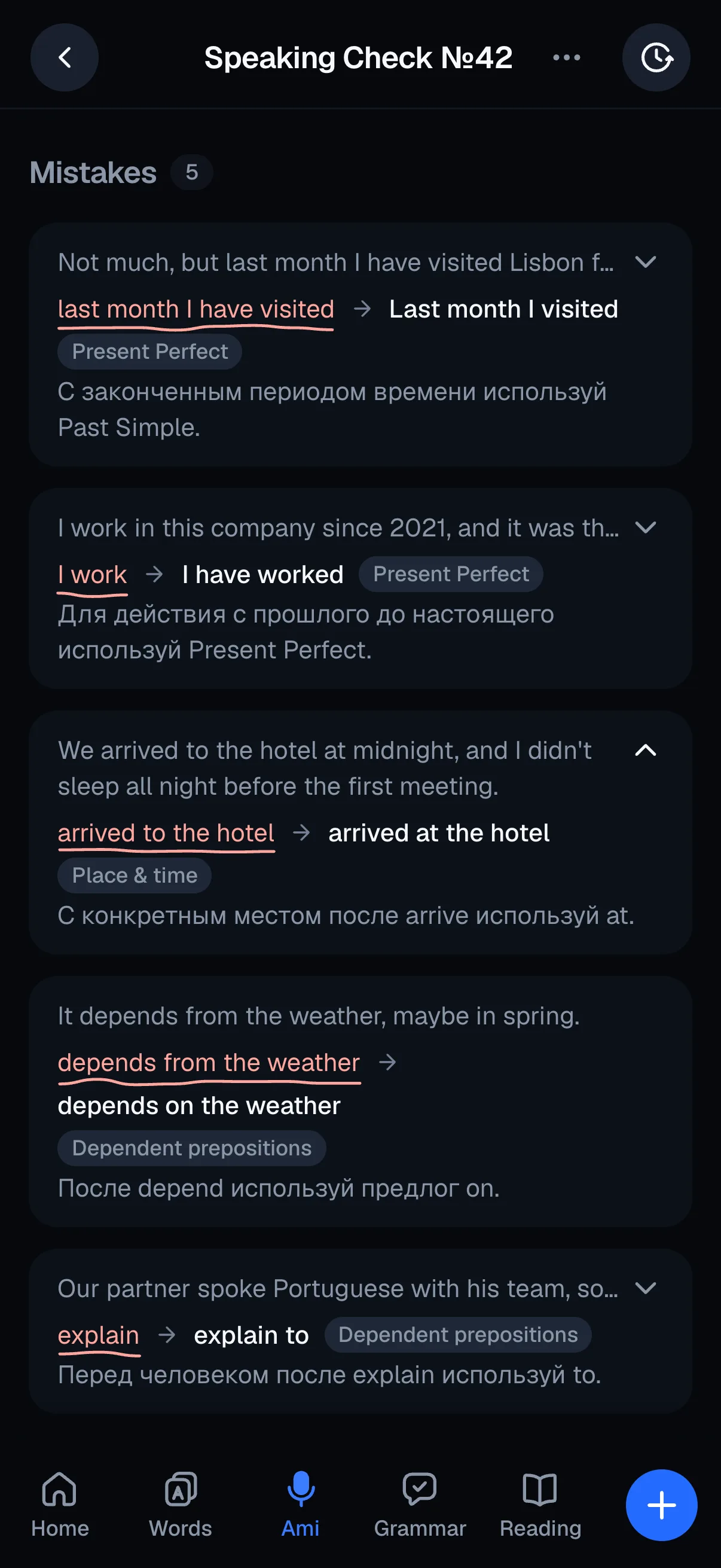
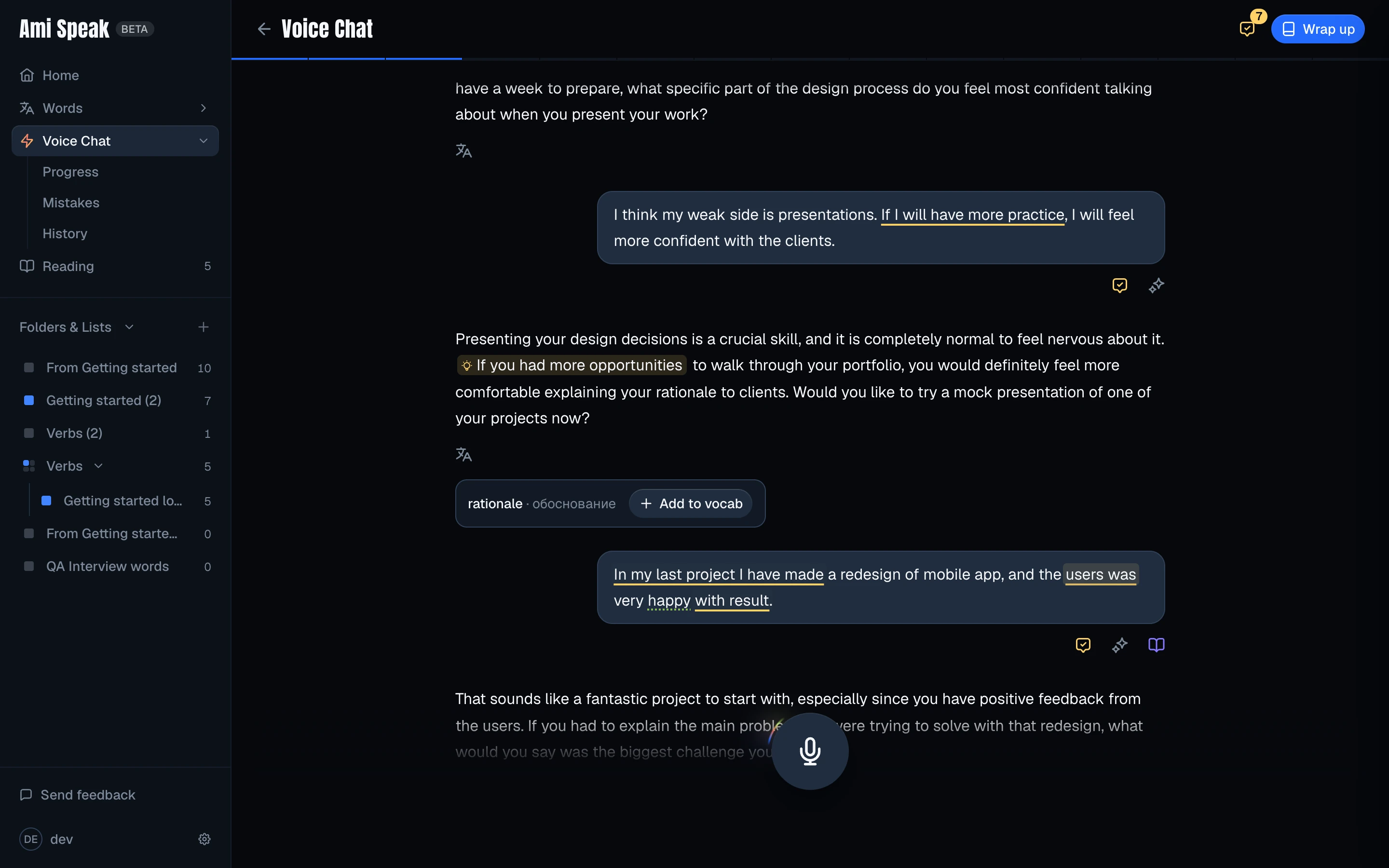
Problem: In the first version every message was checked the moment it was sent: mistakes were underlined and native phrasing showed up under each line. Each message was a separate AI request, so the talk got slower and cost more. Testers also said they barely looked at those marks while talking. They wanted to speak, not read corrections.
What I changed: Ami now analyses the whole talk once, after it ends. You get full session insights: a score on four skills, your mistakes with fixes, phrases a native would use, and new words to add.
What a Talk Costs
Testing showed which parts of a talk people needed. I cut the rest, improved the core, and a 10-answer talk now costs 14 times less.
Grammar
Grammar lessons are built from your own mistakes. Slip in a talk with Ami, and your lesson starts with that exact sentence, so you practise what you actually got wrong instead of working through a textbook.
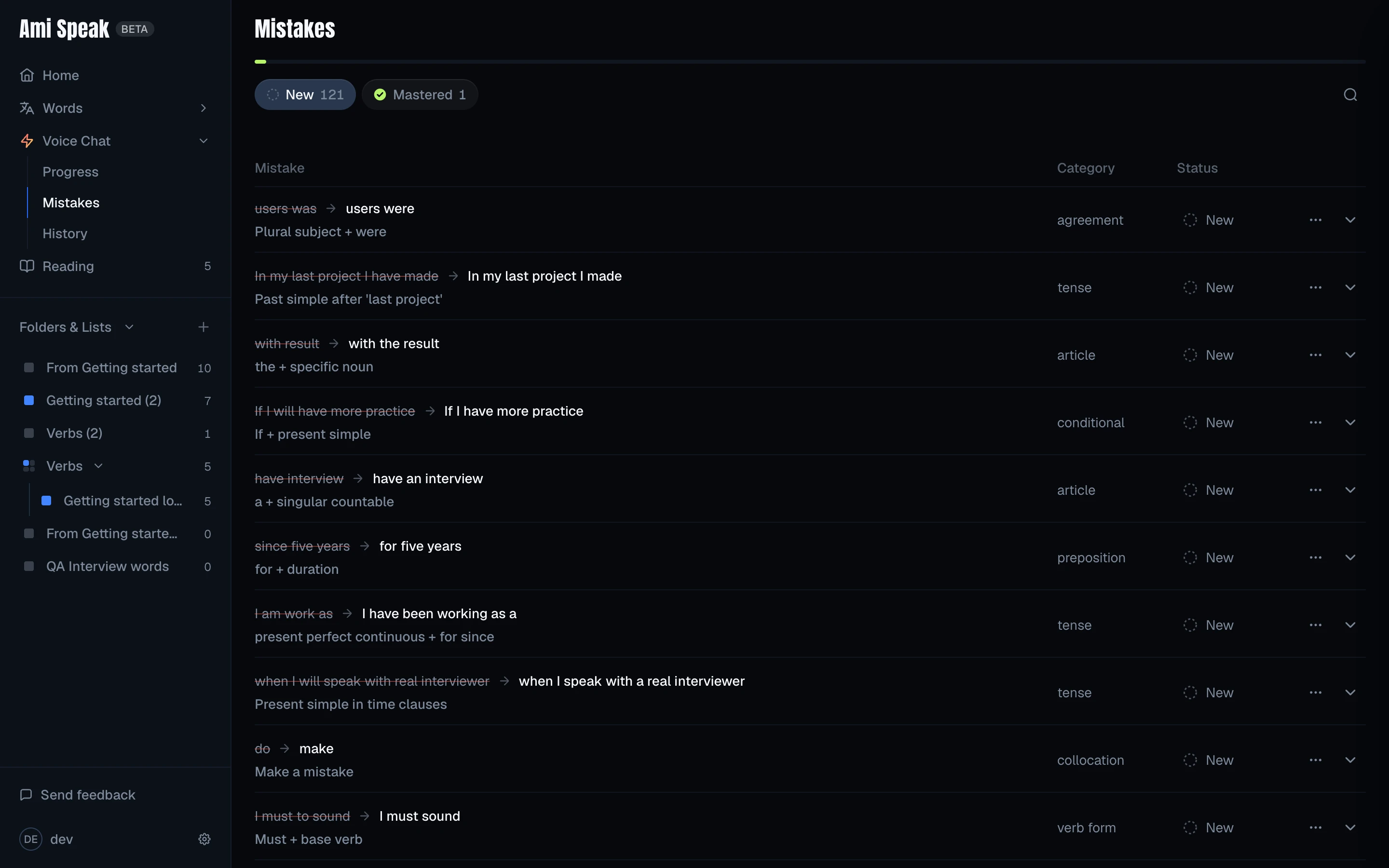
Problem: The app logged every mistake but gave no way to work on one, so the list only grew.
What I changed: For each mistake, AI writes a short lesson on your own sentence: you rebuild it correctly, then answer Ami using the same rule. Testers said it felt made for them, and were pleasantly surprised to get a practice built on their own mistake.
Reading
Paste any article you want to read. It stays in English: click a sentence you're stuck on, and its translation opens right under it. 2 things in the text come from your own practice.
Your words
Words from your vocabulary light up, so every article is one more review.
Your grammar
A form you got wrong in a talk is marked where the article uses it right.
Paste a text, Ami finds your words, change a word's status, click a sentence to translate it.
Small Details
Results
What's Next
Ami Speak is live at amispeak.com. Next I want to understand the audience better: how many talks reach the score, how many mistakes get fixed each week, and who comes back on day 7. A paid plan comes after that, once it's clear what people value most.